I’ve not updated for a while, but I’ve not neglected the course. I’m nearly finished the course I started, having made a dungeon scene and a low poly dinosaur.
Dungeon scene, with crates, barrels and ineffectual lighting.
The dungeon was interesting to do, I can see why that would be useful for a game engine. How you put it into a game and how you make a game is not really anything I am thinking about right now.
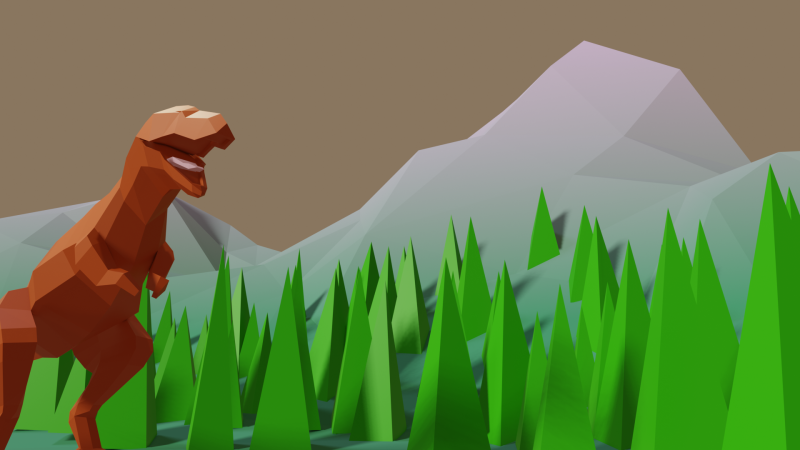
I am a mighty dinosaur! Hear me roar!
Not a very convincing scene. I’m sure there are ways of improving the look of the landscape and making it look like the T Rex is further away from the trees.
We’ve started what sounds very scary – UV mapping. So far, it’s using downloaded images to make barrels and crates look authentic without faffing around and adding texture, like we did for the dungeon scene. Grant has likened this to putting labels on jars, which is a nice cozy way of describing it. I’ll be finished with this part soon and will post if I remember.
One of the things that has been rattling round my head for many years is the idea of 3D printing from an SEM image. I know, it’s a common issue and one you’ve all heard many, many times.
In a previous post, I mentioned how I’d done some of this already using Blender and a bit of artistic licence. What I made needed to be printed in two part (one white, the other yellow) because I didn’t have access to a multicolour printer.
Original version of a 3D printed oil in water droplet. Some artistic licence required and I had to design and print in two parts. You can see the join.
Scrolling through Blender instruction videos (as you do) I saw a post by Architecture Topics on how to convert an image into a 3D Element.
This pinged a synapse in my brain and I wondered if the SEM of the broken oil droplet I took some years ago could be used in the same way.
Scanning electron micrograph of a split oil droplet. I took this image about ten years ago and have been thinking about making a 3D version ever since. I can work faster. Honest.
How hard would it be to convert the original image to a 3D Element?
Rendered version of the converted image. I’ve stuck to black and white since electrons don’t do colour. I could reasonably render this with a gold effect since the sample prep involved coating with gold to get better imaging.
It took a while, but I got there. For the final render, I put the converted image into a box to hide the ragged edges of the conversion. Also I had the opportunity to go into my old work and have a go on the 3D printer there.
After a bit of faffing (because I’d not applied a solidify modifier to the final image) I got a .stl file that the slicer said would print.
My first attempt wasn’t great. I’d only applied enough solidify modifier to give the final print a thin shell. To quickly fix this, rather than going back into Blender and increasing the solidify level, I set the slicer to do 100% infill.
That didn’t work. I’d need to go back to Blender and learn how best to use the 3D toolbox that I learned about while I was doing this.
I’ve spent more time on Grant Abbitt’s course; I’ve been finding out about low poly landscapes and how to add lights and glow.
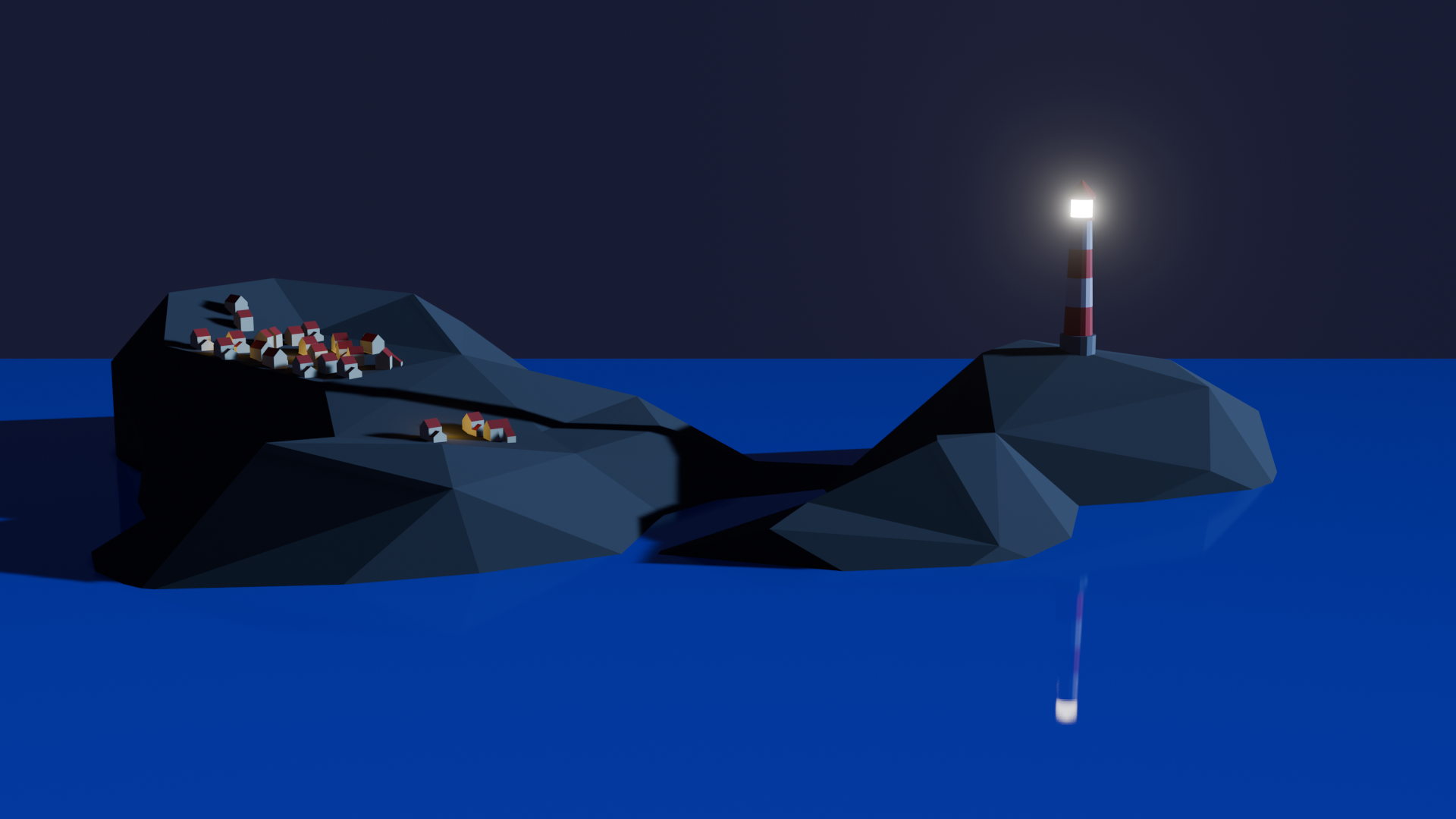
Finished lighthouse scene. I like the glow from the lighthouse and how it reflects in the sea. Maybe I will learn how to make it flash and post that, too.
Having more than one colour on a single object, adding street lights of the right colour (the glow by the houses matches the sodium lights I grew up with in the 1970s.) Grant also covered how background affects the scene and where lights go. This is often skipped over in lessons by other presenters.
Besides this course, I’ve had a look at how to make shapes for 3D printing applications. I went through a short vid on how to make a spiralised ball. It was titled ‘how to make a spiral in one minute’, but it took me over half an hour, stopping and starting the video to squint at what the presenter had. done. Maybe I’m being unfair – if he wasn’t intending to make an instructional video, then I shouldn’t have expected one.
Spiral balls in Blender. These would be interesting to 3D print, maybe adapt for Christmas decorations.
I’m still a long way from being comfortable with the interface and I doubt I will ever fully know how to use the program. But as long as I have fun and a creative outlet and don’t scare the horses, it’s all good.
I started a course and, unusually for me, I paid actual money for it. It’s presented by Grant Abbitt, some of whose free video tutorials I’ve seen. I did finish the low poly well, it took me a few days (no idea how many hours) and I was pleased with the result.
Not sure where such low poly work would find a home, but it’s good to do something creative that I think will lead to better 3D prints. I just need access to a 3D printer.
Learned quickly how to change materials and do lighting so that you get these great effects with transparent materials. This was done on the second day of the course, maybe four hours to get this far.
What’s so good about this course is that Grant takes you through the steps to make a thing. This isn’t unique, but I see a lot of courses that show you how to use tools in Blender and other programs (Excel, for example), but there is no context.
What he also avoids is the “Draw the rest of the fucking owl” trap that I see so often. You’ll be shown how to design something, then magically it’s all lit with a background, multiple lights and a camera fly-round.
The original “Draw the rest of the fucking owl” meme. Original artist unknown, but it’s been around since 2010. Which is medieval by internet standards.
I got the course through Udemy, it may be available elsewhere. It’s called “Complete Blender Creator” and I reckon it’s been worth the £15. If I was making stuff in real life it would cost me at least that much to buy some clay or paper and paints.
More to follow. There’s a lot to learn, but I’ve got time while I’m on gardening leave. I can’t spend all day looking for work when there’s no suitable jobs.
I’ve been working with 3D design for about two years. As a pharmaceutical scientist, I’ve been keeping track of possibilities in 3D printing tablets and other dosage forms. There’s been some interesting recent work on this and in custom design of arm casts. At my last job, we bought an Ender 3 Pro in early ’23 and set about finding uses for it.
Ender 3D printer. This isn’t the exact one we bought.
We used it to design all sorts of things – new funnels, inserts for spectrophotometers, toroidal propellers and flexible substrates for rheology testing. But I kept seeing Blender being mentioned when I looked on YouTube for help with 3D design. But I thought Blender was scary. Just look at it!
Blender window as it opens.
There’s loads of stuff on there! And that’s just one window! Sculpting? UV Editing? Eh?
But it is supposed to be a good program to learn 3d design, animation and simulations. I’d also had an idea to make a 3d print of a SEM image I took some years ago of a fractured oil droplet.
SEM image of a fractured oil droplet. I spent over 20 years studying these things.
This sort of thing was beyond the scope of TinkerCAD, but it turned out it was (relatively) simple in Blender. Well, I followed a tutorial on how to add things at random over a surface. I needed this because other images we took showed that there’s bumps all over the surface of the droplets. So with a knobbly hemisphere generated in Blender, I used TinkerCAD to add the rock-like frozen fractured oil interior. Then it was a matter of slicing and printing.
Easy.
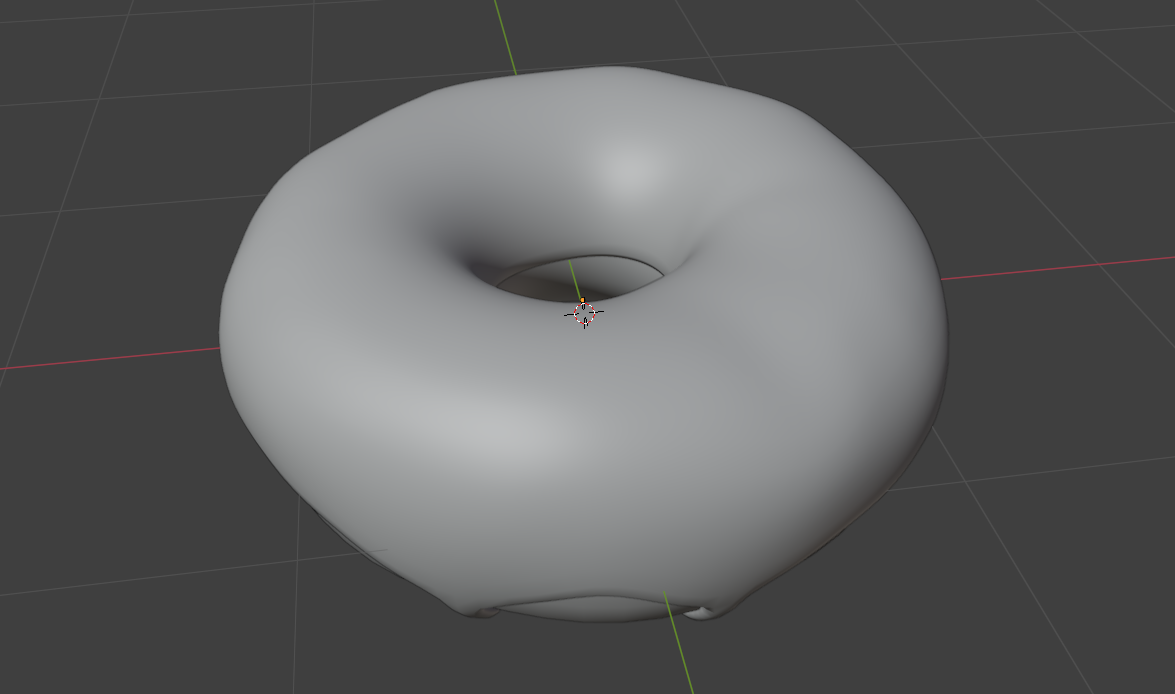
I’d made a doughnut in September following a YouTube course (see below), which as OK I suppose.
A doughnut made in Blender. Looks delicious!
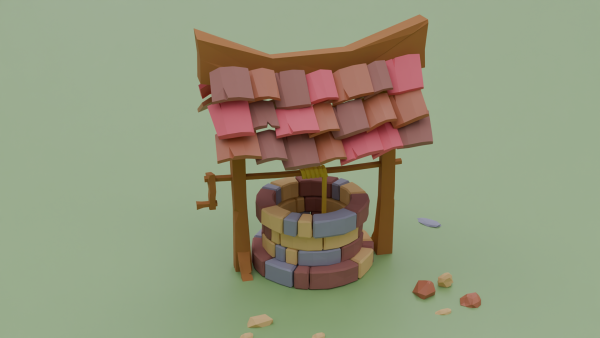
After faffing around a bit, I decided to give Grant Abbitt’s Low Poly Well a try. I chose this because Grant is an excellent tutor. He’s clear, doesn’t skip over bits (no ‘draw the rest of the owl’ nonsense) and has been using Blender for 20 years. He’s also English, so he says ‘zed’, rather than ‘zee’.
So I’m going to see how the low poly well goes. This will be under ‘Blender’ in this blog.