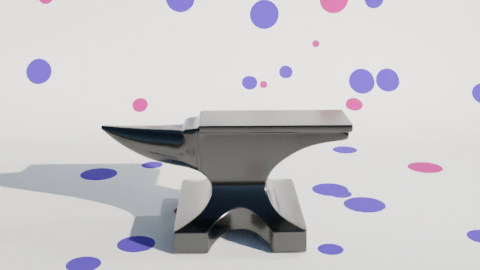
Changing up a video I made a few months ago. The inflating anvil was a fun little thing I did in June, an anvil inflating and floating out of shot.
I made two changes to the initial inflation stage. First, I changed the background to polka dots and second I added a shading change so that the anvil turned from a metal anvil to a plastic balloon.
The easiest way to add the popping was to make another animation using the same background and camera setup, do the break-up and fall as a separate animation and edit the videos together when I added the sound effects.
The initial break-up after the ‘pop’ happens off camera. There’s an add-on available in Blender that lets you break up an object into random chunks. This is great for breaking walls, smashing up objects or popping inflatable anvils.
Using the visual video and sound editor in Blender, it was easy enough to edit the two videos together. Three sound effects were used. Inflating balloon and balloon pop were both from Pixabay. The clattering is from the BBC sound archives – all of the metal falling sounds on Pixabay were too hollow, they sounded like coins or cans and I wanted a heavy metal sound.
What I also had to do – and forgot originally – is reset the aspect ratio to square so that YouTube sees this as a ‘Short’ rather than a full video. Shorts get promoted in the YouTube algorithm in a different way and it’s a lot easier for people to see them. This has the unfortunate side effect that the video looks a bit odd here in the blog.
To make a bowl of custard with sharks in it, I used Blender. There was no other choice, apart from drawing it from scratch. This meant three things. One, model a bowl. Two, add fluid – viscous custard. Three, add shark fins.
Simulating a viscous fluid in a bowl is theoretically easy. Making a bowl was quick enough to do with the experience I’ve built up over the last few months. I took a cylinder, fiddled with that and made a fairly crude bowl. I did a version that was more conventionally bowl-shaped, but Mrs S preferred the straight sided version.
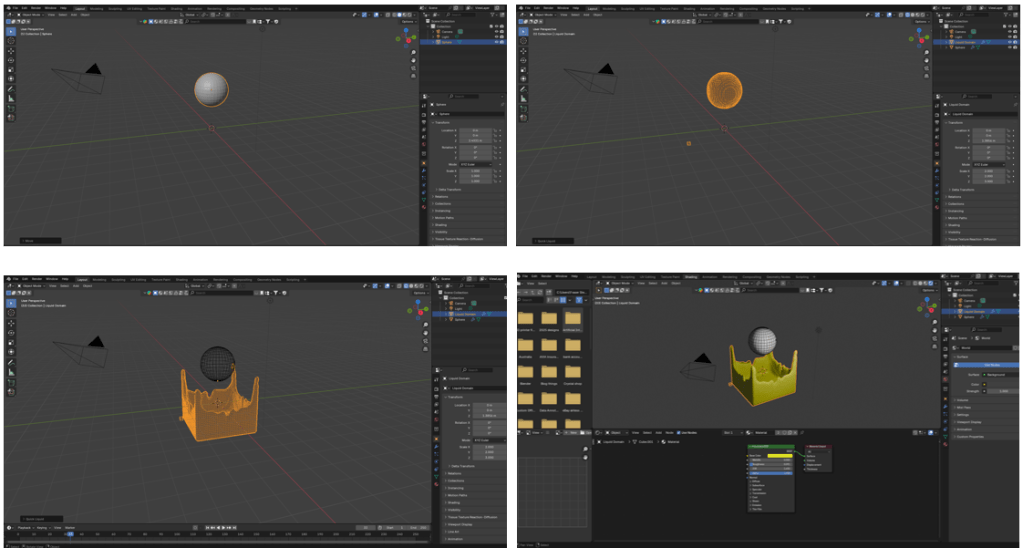
When using fluids you have to define the space where fluids can be simulated, a source for the fluid, and what objects interact with the fluid.
The simplest thing in fluids is to have a sphere that lets liquid out constantly into a volume. It’s not very exciting, but it’s a start.
Fluid simulation in Blender. Make a sphere, add fluid domain (the volume where the fluid will be simulated – not visible here), then press start on the animation and you get liquid flowing. Change colour as required.
Then you can add a vessel or other object that the fluid can interact with and overflow. You also have the option- which I used for this – of making a given volume of liquid and only generating that. I used this to make a sphere of custard that flopped into the bowl. I could adjust the volume of the sphere so that the bowl filled, but didn’t overfill.
Shading was next. Yellow is the obvious colour for custard and a blue bowl contrasts well with that. I think a cartoon style works well for this type of product design. It reduces the number of colours in the design and also allows a for a bold appearance. To get the fins, I just added some planes and adjusted to make into fin shapes.
After that, I ran the animation to the point where I liked the look of the piece and rendered just that frame. I rendered this with a transparent background so that the design would look good on products and also allowed me to export to Canva to add text.
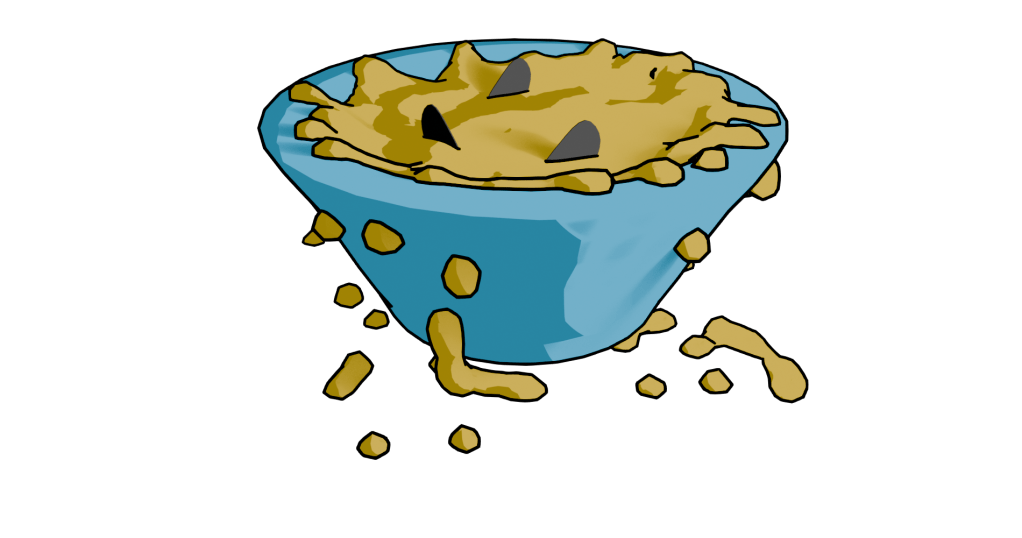
Not the design that I went with, but close enough. There is too much custard (or not enough bowl) in this one.
I’ve mainly used Canva for the promotional videos I make for Facebook and for some t-shirt designs. Here I added text in Hellprint font with a brown outline and was able to curve the text to a circle. This was easier than the method I used for the chilli and caffeine designs, but there is less control.
Finished design. Lumpy yellow custard in a blue bowl with three shark fins poking out.
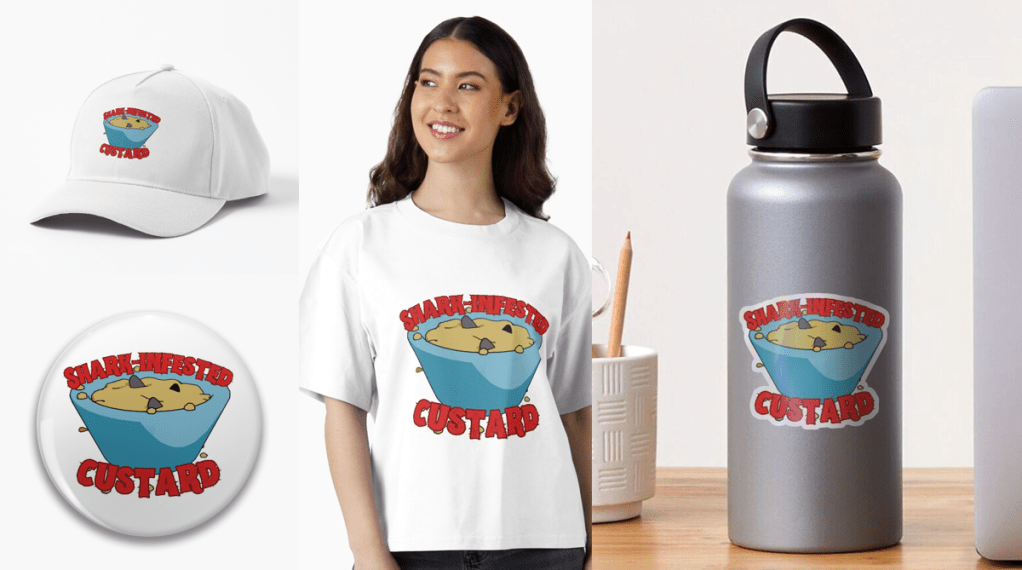
Because I’m using RedBubble rather than Etsy, I can offer the design on a variety of things. I think this one works best as a sticker or fridge magnet, but it doesn’t cost me any extra to make it available on t-shirts and other clothes.
Let me know if you have any favourite old and bad jokes that you would like to see immortalised in cartoon form.
A selection of the products available with the ‘Shark infested custard’ design. I think the sticker works best, though I like the badge too.
Now that I’ve learned how to add music to my videos, I can fill my Drew Ackermann channel with mediation-type videos with looped animation and relaxing music.
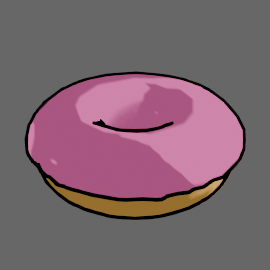
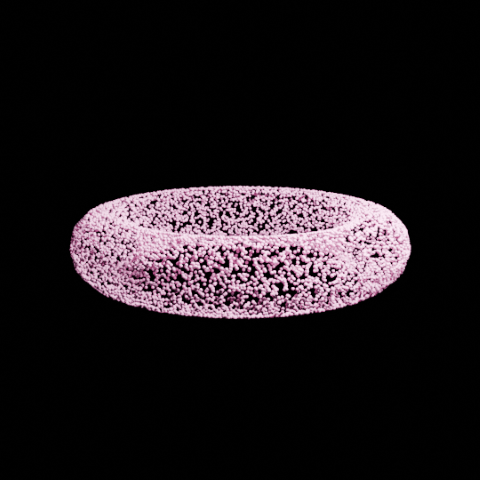
For this one I used the Falling Rings video as the basis and replaced the rings with a doughnut. There was a slight issue with the tumbling effect because the original rings turned 180 degrees through the animation sequence. This looked OK because they had horizontal symmetry. The doughnuts don’t, the icing meant that the doughnuts would spin 180 degrees then suddenly shift to the original orientation. Once I realised that this was happening it was fairly easy to fix. It was slow because the doughnuts have a lot more faces than the rings so it took longer to render each time I wanted to change anything.
Cartoon doughnut! There are a few tutorials about making a doughnut in Blender, some of them also add sprinkles but I thought that would be too much detail for the type of video I planned to do.
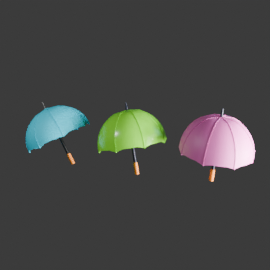
There’s a similar video of tumbling brollies that I’ve put up as well. This one uses three different brollies. I designed the brollies all by myself!
Three different brollies for the tumbling animation. Not sure how much detail is needed for the animation, but they certainly look brolly-ish.
I really think Blender is like a language, you don’t understand a lot of what is going on for the first years but you can quickly make up your own sentences.
I may set up another channel of unsettling animations, because people like all sorts of things. A cycled tune in a disturbing key accompanied by melted figures falling into a fire. That sort of nonsense.
While I looking at ways to morph objects to create soothing animations, I came across a way to make a less-soothing, but still fun, way of morphing any two objects.
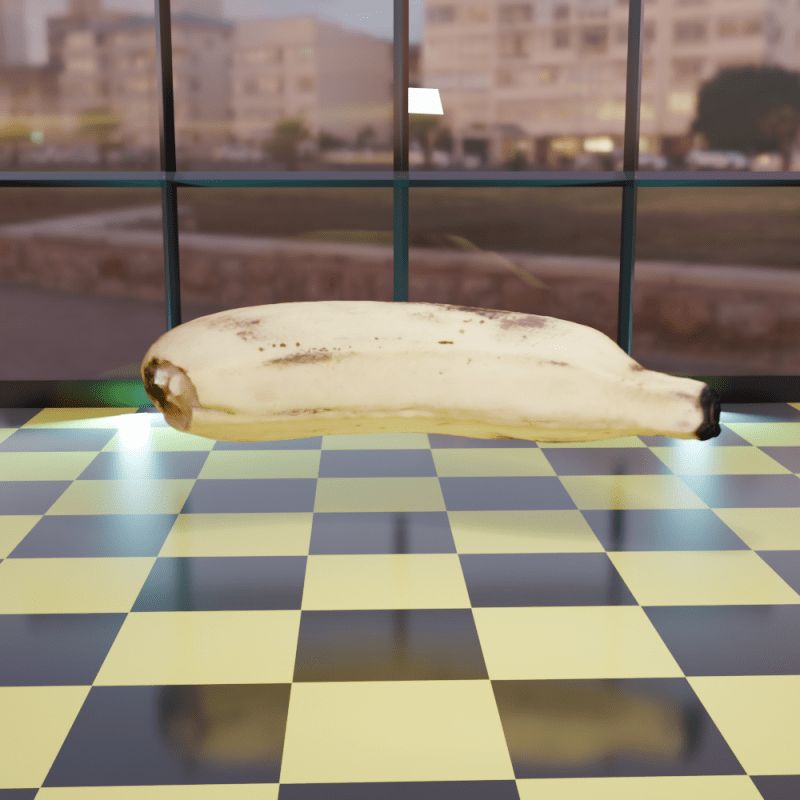
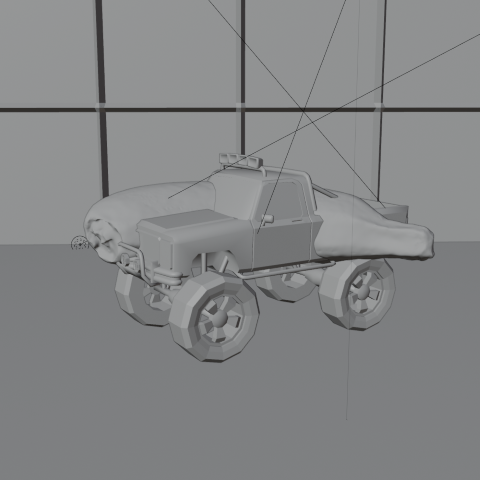
For the base models I’ve used some resource that are in an ‘add-on’ in Blender. Not sure why I chose a banana and a monster truck, you’ll have to ask my brain about that and it’s not talking to me.
Once you have the two models there’s some animation to be added to make the objects spin. The changeover happens at maximum spin speed at which point the banana becomes invisible and the truck appears.
This is how the truck and banana look without any rendering. The floor and wall are also just grey objects waiting to be coloured in.
Once I’d done that, I realised I’d set the banana quite high above the floor, so I animated the truck falling and bouncing.
Setting the scene was next. I thought it would be nice to have it look like the morph was happening in a car showroom. I made a chequered floor1 and a wall at the back with windows. Getting the window glass to look convincing needed a bit of fiddling around with various settings, but in the end I got it so you can see through the windows to the scenery behind. A couple of blue-tinted backlights add an extra dimension to the objects.
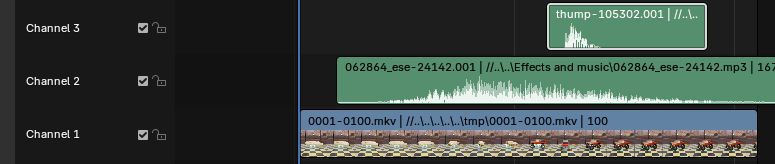
Once the animation had been rendered, I used the video editing suite to add two sound effects that I downloaded from Pixabay, where I also got music for the ambient videos. The swoosh and the thump could be positioned in time to get them synced with the animation. This is one of those things that’s easy when you know how, but I had a hell of a job finding how to even start video editing.
Video editor in Blender. The videos and the sound effects can be moved and cued up to happen at the right time. It’s a click and drag system, so pretty easy to use.
So the ‘swoosh’ in Channel 2 reaches its peak as the banana speeds up and there’s a ‘thump’ in Channel3 timed to coincide with the truck hitting the floor. I did search for a sound effect of a monster truck hitting a tiled floor, but couldn’t find one. Surprisingly.
This is one of the many presets for the Shader editor in Blender, so easy when you know what to look for. ↩︎
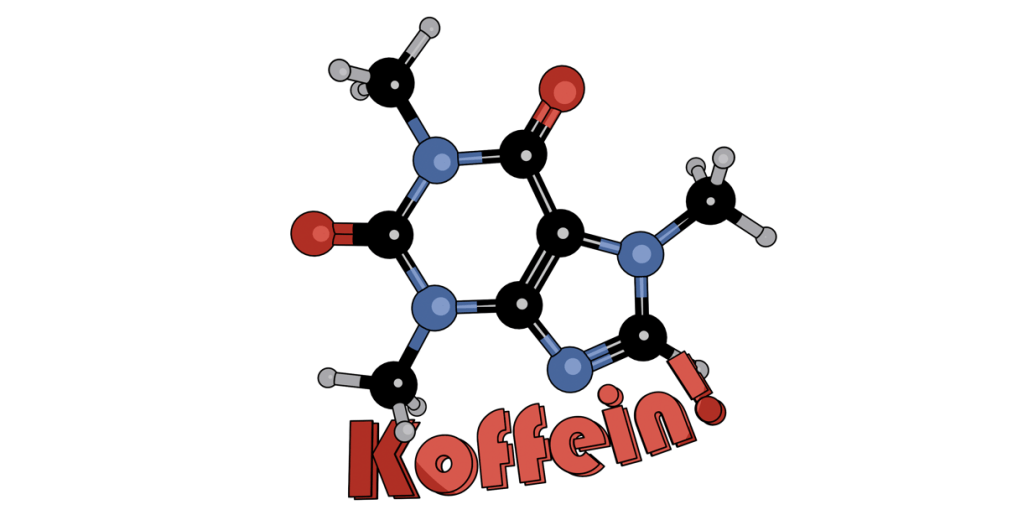
The German language version of the Caffeine design. There’s some tweaks to the lighting and a change in font, but the aesthetic is the same.
As discussed in the previous post, this uses Bauhaus, a slightly different font to Berliner that I used in the English language version. I’ve kept the same aesthetic as before, I like the ligne clair look of the cartoon and the ball and stick molecular model is a design classic that has served chemists for decades.
The ball and stick model was first used by August Wilhelm von Hofmann in 1865, so this year is the 160th anniversary of the ball and stick model. Hofmann’s is a name familiar to all organic chemists, with several organic reactions named after him as well as a device for electrolysing water.
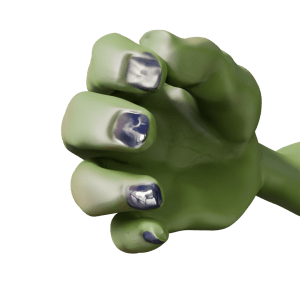
So I fixed his fingers somewhat – still not perfect, I can’t get a good fist, but the fingers no longer twist in an awkward way.
After a bit of fiddling around, I got Steve’s hand to look a lot better. The fingers are straight, at least.
Stand-up comedian
As mentioned in a previous post, I’m a fan of comedy. Also, I’m a fan of Stewart Lee1. To my mind, he elevates stand-up to an art form2 and is also hilarious. To Mrs S he just drones on about stuff3. Anyway, I have a picture of the man in full flow.
Stewart Lee in action.
This photo was the inspiration for Steve’s new job as a stand-up comedian. But to make it more obvious that Steve is in a comedy club, rather than giving a lecture (on the use of Lammas bread in recipes for hobbit), I thought it was necessary to add comedy club trappings. This means a curtain and lights such as Stew has and a neon sign so we know he’s in a comedy club. And a microphone, mike stand and a suitable pose.
The sort of thing I was thinking of for the Mordor Improv stage. Sadly, Aisling Bea was not available for comment.
The mike stand was the easiest part. A cylinder for the upright and another, cut in half lengthways, for the clip.
The microphone was also fairly simple. I decided to just show the top of Steve’s hand, so I didn’t need to model the flex, mainly because the right arm looks a bit weird when it’s bent. So a cylinder, tapered a bit, a sphere as the inner part of the microphone and another sphere given a wireframe look as the input bit. And a flat cylinder as the metal ring around the bit you speak into4.
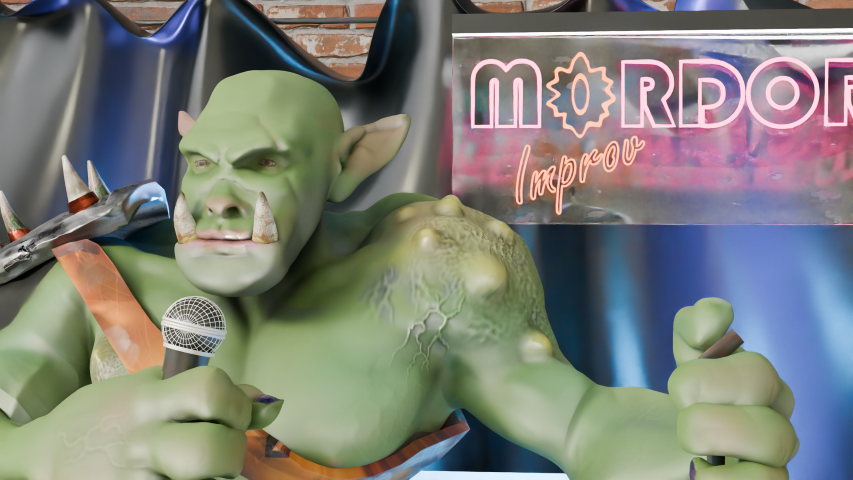
Posing Steve wasn’t too hard since I’d done a bit of this already. Getting the hands to look reasonably realistic depended on getting the curl of the fingers right, which I had done already.
Now I just needed to set the scene.
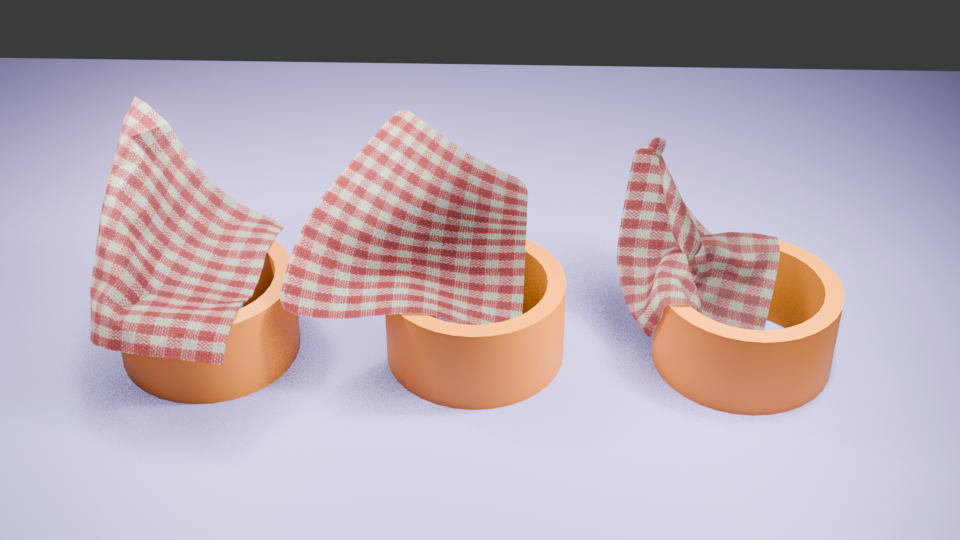
Blender can add physics to an object, and the physics I needed for the curtain is the Cloth Modifier. Using this, an otherwise flat object can be made to act like cotton, silk, leather whatever you like. You can drop it, drape it or pin it in place to react to gravity and other forces.
Cloth can be pinned in place to drape. You can also change how many faces are in the cloth. From left to right, there are 400, 4000 and 50000 faces. More faces means more drapable cloth.
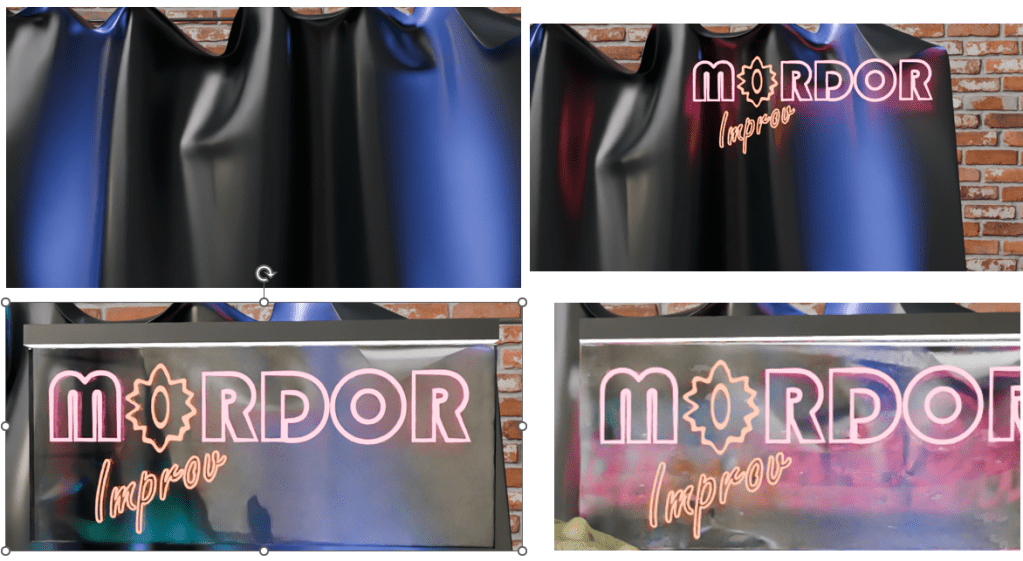
For this, I followed a tutorial to make a curtain which would hang behind Steve. And I decided that the Mordor Improv is a slightly down-at-heel establishment, so the curtain is drooping a bit.
More interesting is the neon sign behind Steve. I had to go through a couple of tutorials to get from ‘I have this idea’ to ‘I can do this now’. Two fonts are in this – Bauhaus (Mordor) and Freestyle Script (Improv). The Eye of Sauron was originally the O of Mordor, pulled around a bit and given a different colour to look more evil eye-like.
Curtain, original neon work, added plastic backing and as the sign appears in the final render after some bashing around.
So now Steve has a job. He’s struggling to keep Sauron’s minions entertained at the Mordor Improv.
“Two hobbits walk into a bar. Must have been a low bar.”
If you have any Middle Earth jokes, let me know!
Some would say the two are mutually exclusive. Mrs S, for one. ↩︎
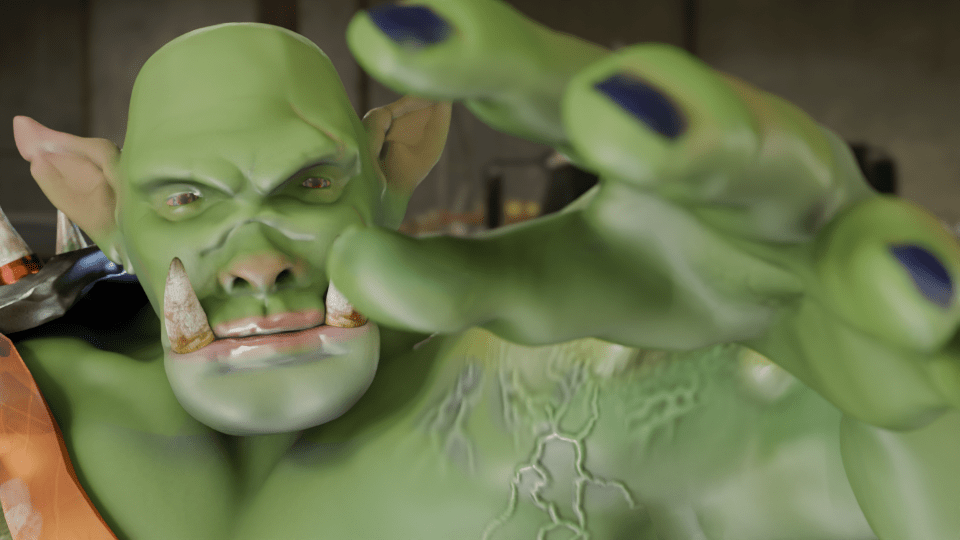
Now that I have Steve the orc, what can I do with him?
Orc with Balloon
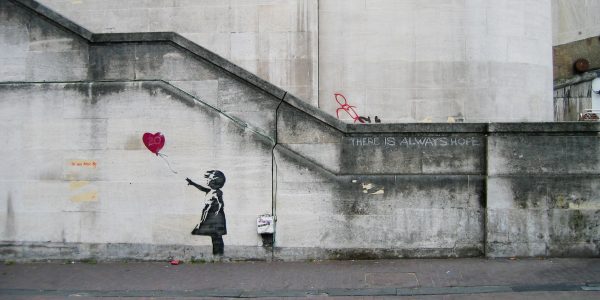
One of the best-known British artists is Banksy. Best known, even if we don’t know who they are1. Most of the works attributed to Banksy are stencil-based, the work is in the preparation of the stencil, rather than the application of the paint which was done stealthily and quickly.
Here, I’m redoing their ‘Girl with Balloon’, which first appeared on Waterloo Bridge in London in 2004.
Blender allows you to add a reference image to the work so that you can use guides to pose or build the model you’re making. This was used in a couple of the earlier lessons, building the spitfire and also the original modelling of Steve was done using an outline provided as part of the lesson plan.
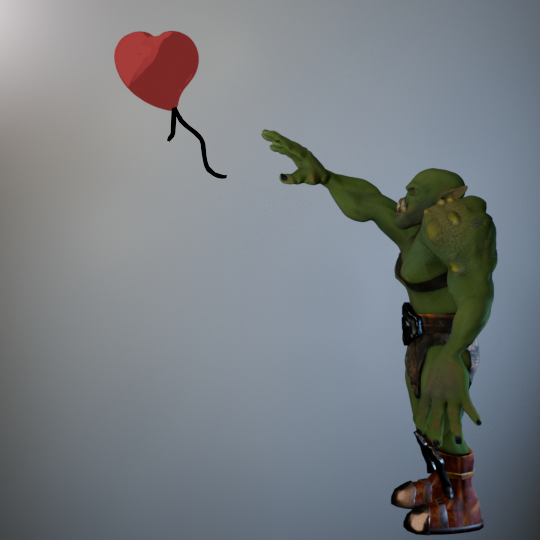
Adding a version of Girl with Balloon, I used this to get the pose of the orc similar to the original. Not exact – Steve has longer arms and I wanted the balloon to be a bit closer.
Original image of Steve with the balloon. The wall behind has been lit to look a bit like a wall – Banksy’s work appeared on several walls around the world, one of them must have looked like this.
Modelling the heart-shaped balloon was done by using a Webding heart as the base. Text in Blender is treated as an editable object with access to all the fonts you have on your computer. For the caffeine molecule mug design, I had used Berlin and Bauhaus fonts and added a bit of a curve to the text. Here, I coloured the heart and added a curve to the top surface so it would look a bit more balloon-like.
For the trailing ribbons I used Grease Pencil to draw black lines. I’d used grease pencil before in the caffeine molecule, adding lines automatically. This time they were hand drawn.
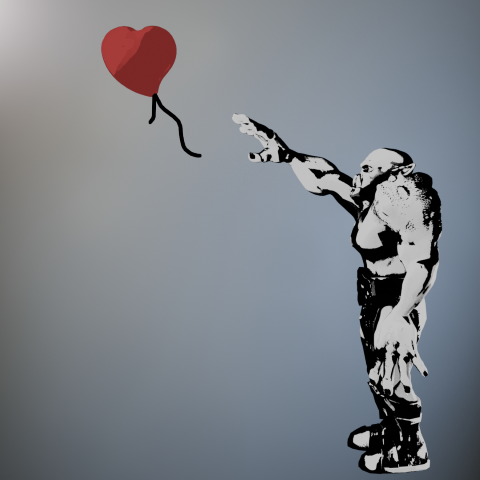
The cartoon effect I used on the caffeine molecule was repurposed to give a stencil look to the posed orc. Instead of using one colour for the light parts and another for dark, I just used black and white. Shading in black and white wasn’t difficult, but getting the lighting right so that the finished figure would look like a stencil and be recognisable as an orc took a bit of fiddling around.
Orc with Balloon. Final image of Steve with his balloon.
And finally, a short video of the transition from live orc to stencil.
The transition of Steve from rendered to stencilled in four seconds.
Next up, Steve has a go at stand-up comedy.
According to Wikipedia, his name is Robin Gunningham, he’s from Yate near Bristol. ↩︎
Now that the GameDev course is complete – I even got a certificate! – I can have a look at other tutorials and find out more about what can be done with Blender.
Don’t forget about Steve. He will be back! I just need to fix his fingers.
Textures featured in the previous course, not only in getting Steve’s skin and clothes looking good, but also in the mech when I added glitter. More interesting textures can be downloaded for use from several websites and the uses for these are only limited by your imagination.
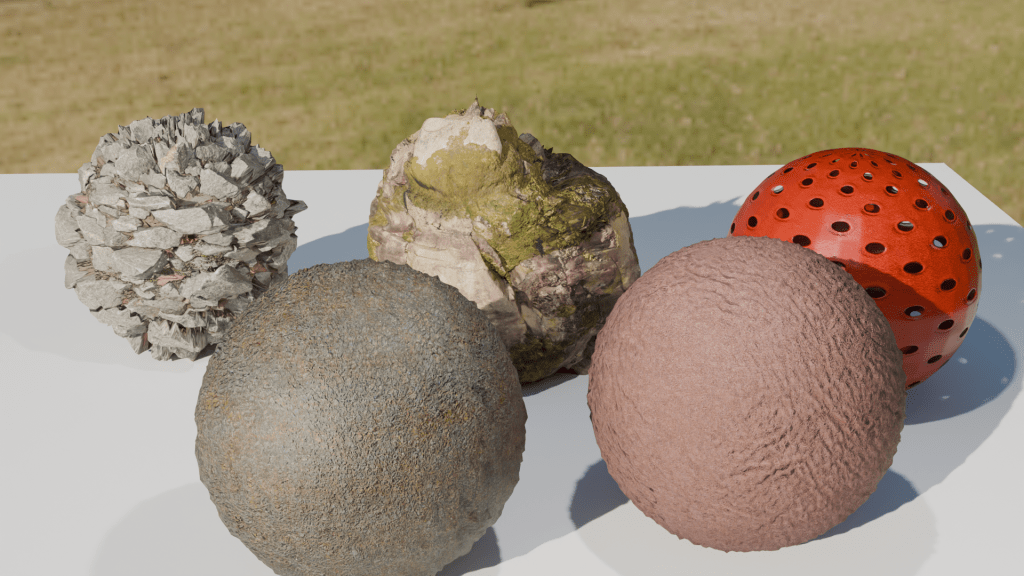
To keep this blog post short and to show some of the things you can do with textures, below are a few spheres with added textures. Despite their appearance in the rendered image, they are just spheres and can be edited and shifted around as such. Using these textures instead of trying to sculpt your own lava flow or mossy stone reduces the load on the computer and is a lot quicker. The downside is that you are restricted by what is available.
Five textured spheres. Two types of rock and a hollow plastic ball (back) and snakeskin and leather (front).
You can make your own textures, but that’s way too advanced for me. What’s interesting is that the shadows agree with the textures. The jagged rock (middle back) casts a jagged shadow. And also the hollow plastic red ball is see-through, the holes act as they would in real life.
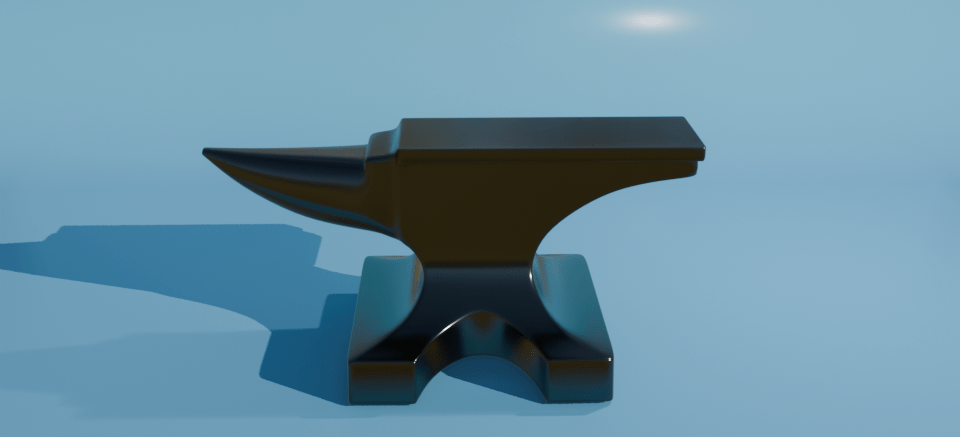
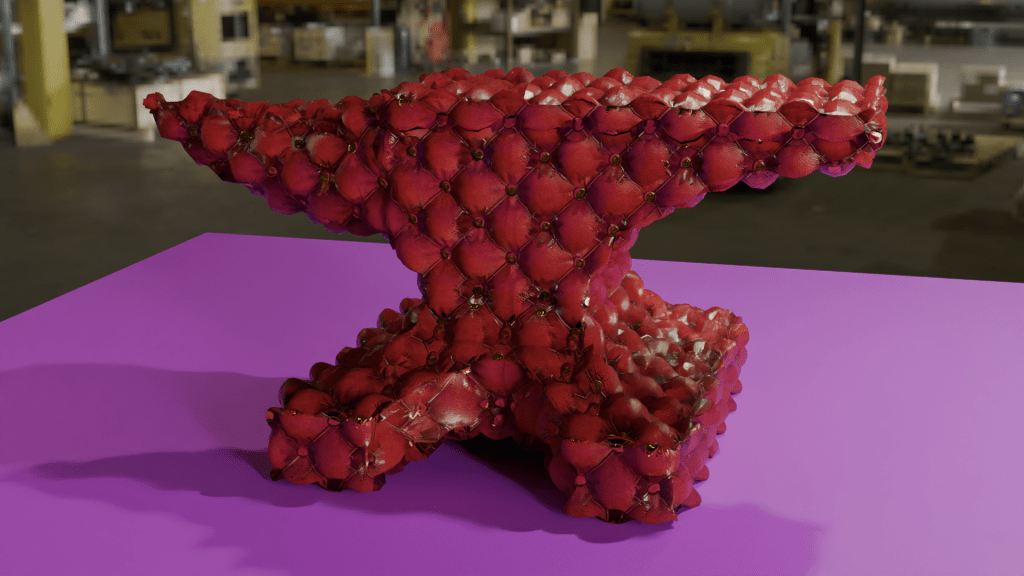
For further mucking around, I downloaded an anvil model and decided that it would be nice if the blacksmiths didn’t have to put up with all the noise of hammering metal all day. So I made an anvil with a soft furnishing texture – a Chesterfield anvil.
Anvil with a Chesterfield texture. I don’t know why nobody thought of this before. Think how quiet forges would be with soft anvils to work on.
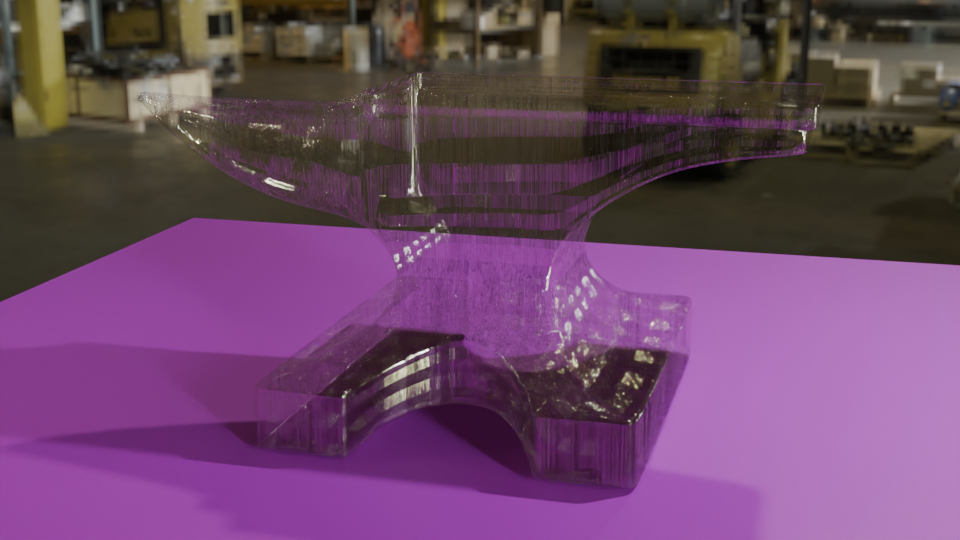
You could also have a glass anvil, for those extra-delicate jobs. Or as the focus for a strokey-beard discussion about the juxtaposition of use and material as a Dadaist/surrealist concept1 , or as a satire on the impermanence of the permanent and the transparency of the solid.
Anvil with a textured glass appearance. Add your own philosophical musings in the comments.
Or an inflatable anvil, for the blacksmith on the move.
Just because it looks like metal, doesn’t mean it has to behave like metal.
I think I’ll step away from the artistic discussions, it’s well above my pay grade and makes my head hurt. I’m only a simple scientist!
Next, more work with Steve, trying to get him to earn a living.
See also Man Ray’s “Cadeau”, an iron with 14 nails glued to the base. ↩︎
A slight departure, this time I’ve designed a mug. I was thinking about what molecules would look good on a coffee mug and the obvious answer was ‘caffeine’.
One of the things I had planned to use Blender for was to make scientific models and diagrams as well as protein and molecular models. How to do these things was another matter and how to make anything of them when the market for scientific diagrams is (a) small and (b) a closed shop were further matters.
Having had the idea of caffeine-on-a-mug1 I hit the University of YouTube and found out how to get from a molecule to a 3D design, and then from a 3D design to a cartoonised version. This latter was a design choice – I thought it would look bold and also it would be a way of cutting down on the number of colours required for the design.
I found a good tutorial by CG Figures who went through the two-step process to get from molecule name to a file that can be read by Blender.
I was already familiar with one of the websites that was recommended – molview.org – and the software to convert the SMILES file into a protein database (.pdb) file was easy enough to use. The SMILES format is a standardised way of representing organic molecules and it was the format I used to input molecules of interest into a molecular modelling tool to predict the pharmacokinetics of drugs – SwissADME is the website, if you’re interested.
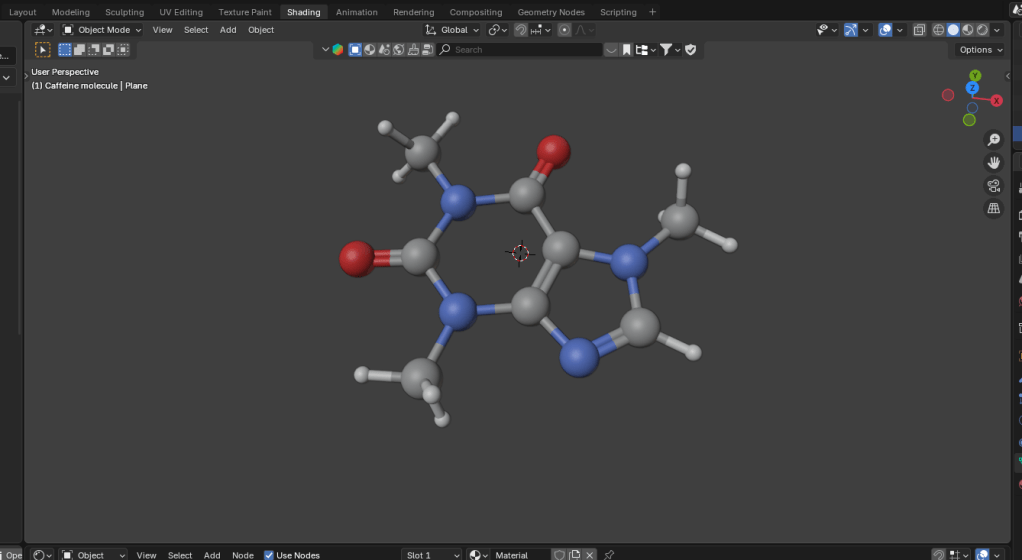
Once I’d got the molecule model into Blender, there were a bunch of further steps to clean up the file into something that didn’t take up too much filespace and have extraneous faces that could give odd results when the image is finally rendered.
The caffeine molecule after some tweaking of the initial file. The software adds colours by default, in this case grey is carbon, blue is nitrogen, red is oxygen and white is hydrogen.
It didn’t take long to get to the point where I had a model that I could use as a basis for a design. Next, I wanted to turn it into a cartoon version. This means that the light and shade are demarcated by sharp lines with no fading.
In Blender there is a function called a “color ramp” which takes a colour or a shade and changes it. Using this I could control which parts of the atoms were darker and which had highlights. By moving the light around I could change where the light spots landed and also change the size of the highlights. And because the software sees the molecular model as a three dimensional object, the highlights vary around the model, making the model look more three dimensional, even though the idea is to create a two dimensional image.
Three cartoon monkey heads. Turning the head changes the cartoon lighting and adding grease pencil adds definition to the image.
In order to add a more cartoony look, a function called grease pencil can be used to add black lines to the scene. There are two ways to do this. Blender can add grease pencil automatically, which is what I’ve done here. You can also add it manually so that you can put details on the image.
Anyway, back to the caffeine image. Not only did I add the cartoon effect and grease pencil, but the molecule needed a caption so we know what it is.
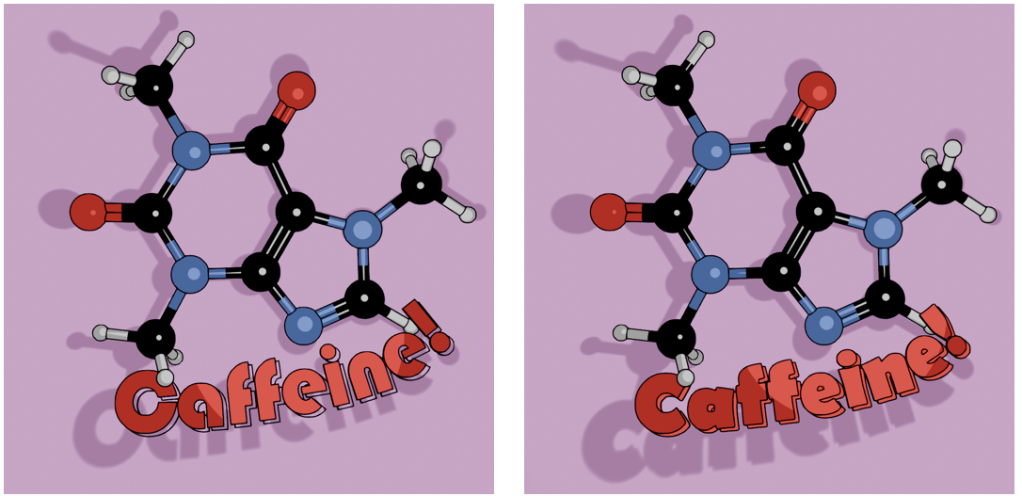
Alternative fonts for the caption. I like the Bauhaus font (left) as a design choice, but the capital C is a bit too closed to read easily. Berlin font (right) has a similar vibe and a more open C.
Looking through font choices I tried Bauhaus – it’s bold and has a historic feel to it. After showing this to Mrs S, I changed to Berlin. She pointed out that the C in the Bauhaus font is a bit too closed, and the Berlin version looks better in this application.
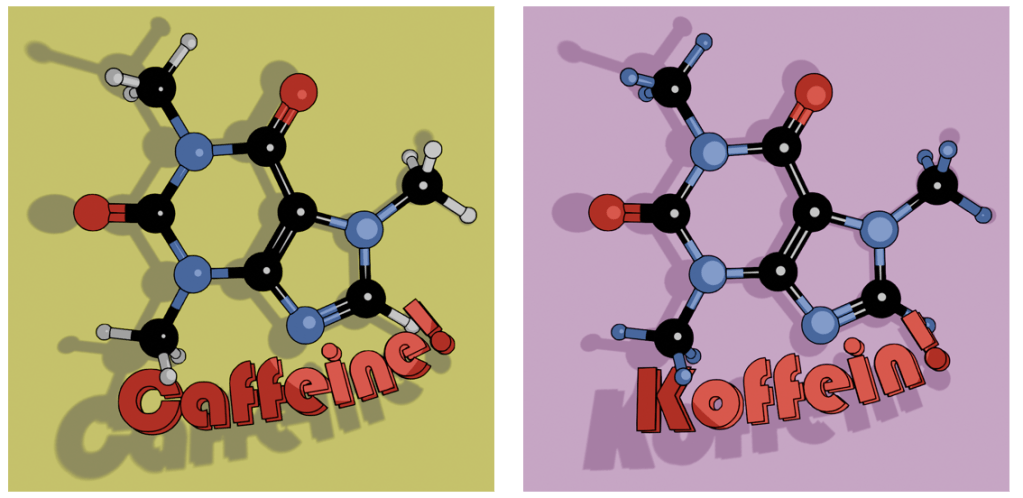
As an alternative, there’s also the molecule on a mustard-coloured background and in German. I’ve yet to offer these alternatives in the shop, I don’t know how big the German market for nerdy science mugs is2. I will likely keep the Bauhaus font for this, since the K looks echt cool, oder? I’ll need to use either Berlin or another font for the French (caféine), Spanish and Portuguese (cafeína) and Italian (caffeina) versions.
Two view of caffeine (Bauhaus font) and Koffein. Mustard yellow background or pinky purple? Which is better?
I can try other background colours, but I’m not sure what works best. Any suggestions are welcome.
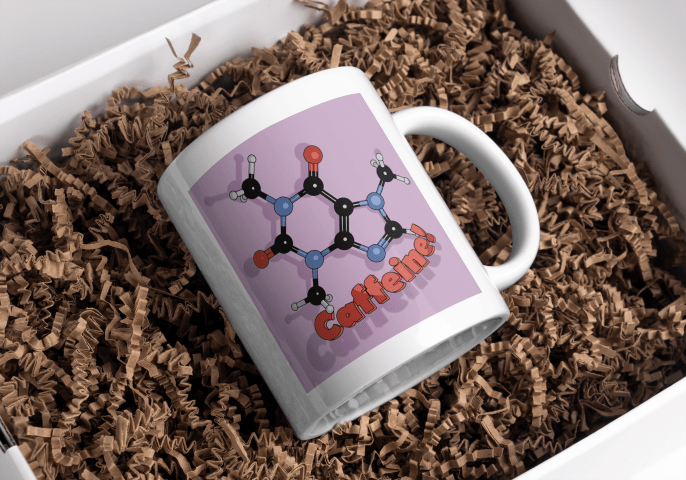
The finished design could then be uploaded to Gelato so I could put that onto a mug and then get it published on Etsy.
Mock-up of the finished mug nestled in a bed of curly brown stuff.





 Grim up North Heath