Tag: old jokes

  • Baaa Humbug!

    Baaa Humbug!

    A Heath Way Prints design.
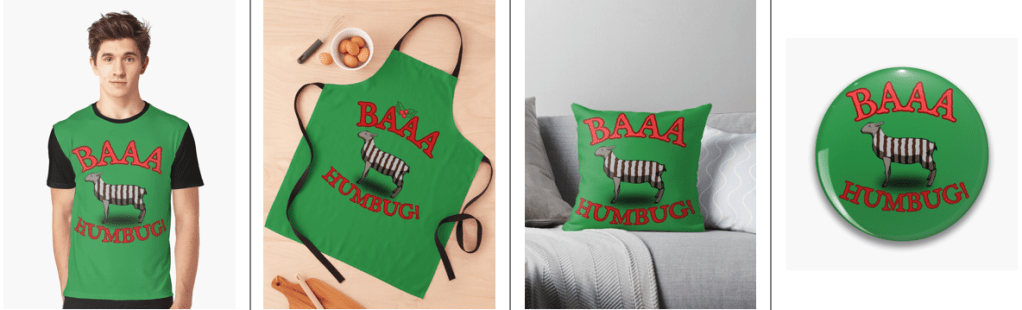
    The ‘Baaa Humbug!’ design on a t-shirt, apron (with holly), cushion and pin badge.

    This was an idea from Mrs S – a sheep with a humbug1 body.

    Sheep building

    The modelling of the sheep was the main challenge here. I decided to go for a ‘low poly’ design, similar to the fearsome dinosaur I made as part of the course I did in March ’25.

    Returning to the University of YouTube, I followed a video by Ryan King, who is a reliable tutor and another one who doesn’t skip the fiddly bits. He made a duck, a shark and a dog in this tutorial, the dog was the best one to follow for the sheep, what with having four legs and all.

    Making a low poly sheep is an exercise in making a tube and shaping it to match a sheep (I used a photo of a sheep as a guide) and then adding legs and ears.
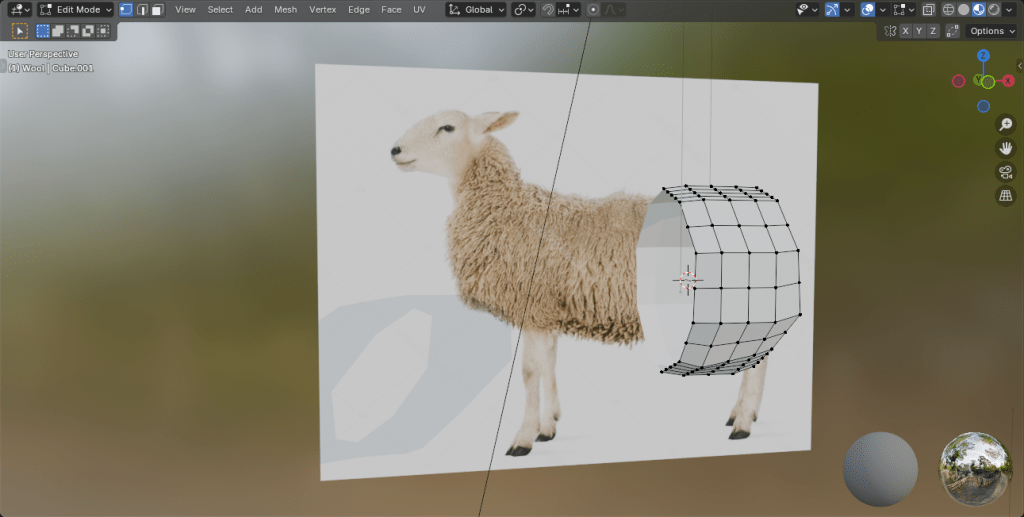
    The start of the sheep construction process. Using a side-on view of a sheep, a tube is extended and squidged to make a sheepish body. Legs are added by extruding from the sides.

    Shading

    The shading was the complex bit. I wanted to have a cartoon look to the sheep because that’s an aesthetic I like and also makes the final print a bit clearer.

    I’ve done quite a lot of cartoon shading over the last couple of months, the tricky part was getting more than one colour onto a cartoon.
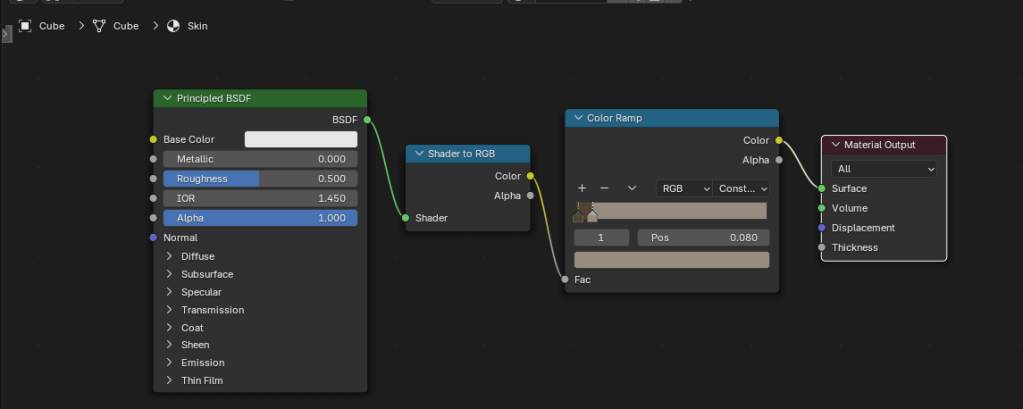
    The basic cartoon shader. It converts the original colour to RGB (not sure why), then the colour ramp restricts the colours to two shades, dark and light. This gives a cartoon shading effect that I’ve grown fond of.

    Doing one colour is easy enough, it’s two shader nodes. Adding a striped pattern and getting the stripes to mimic a humbug was a bit of a thinker. In the end, I found a way of doing it using various shader nodes.
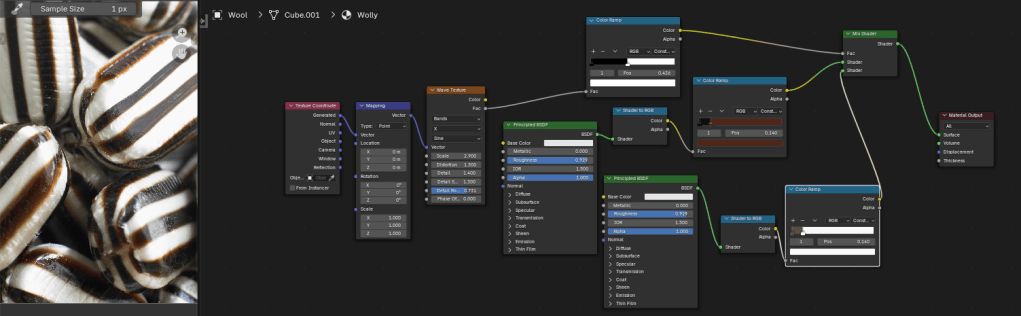
    The humbug shader. I used a photo of humbugs to get the right colours. This is a bit more complex than the single shader, since the system needs to be told where to put the brown and white colours.

    So we can go from a plain white or brown sheep to a striped sheep. Then we need to add outlines.

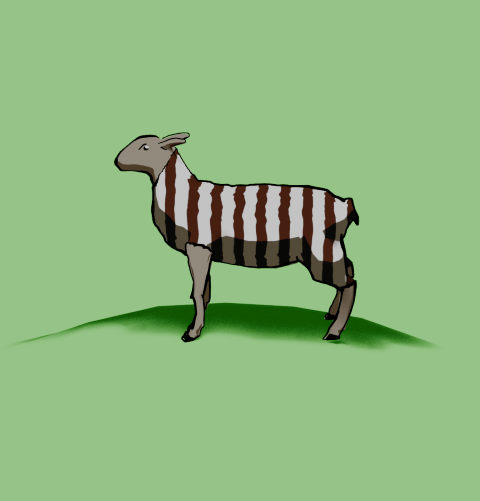
    From left to right, a plain white coat, a brown coat (colour for the humbug stripes), stripes added and then with outline and frown drawn in.

    Outlines

    I’d previously used the system’s grease pencil to add lines to cartoons and it works well. For the cartoon mech, I just thickened the lines a bit but otherwise didn’t adjust the grease pencil added by Blender.
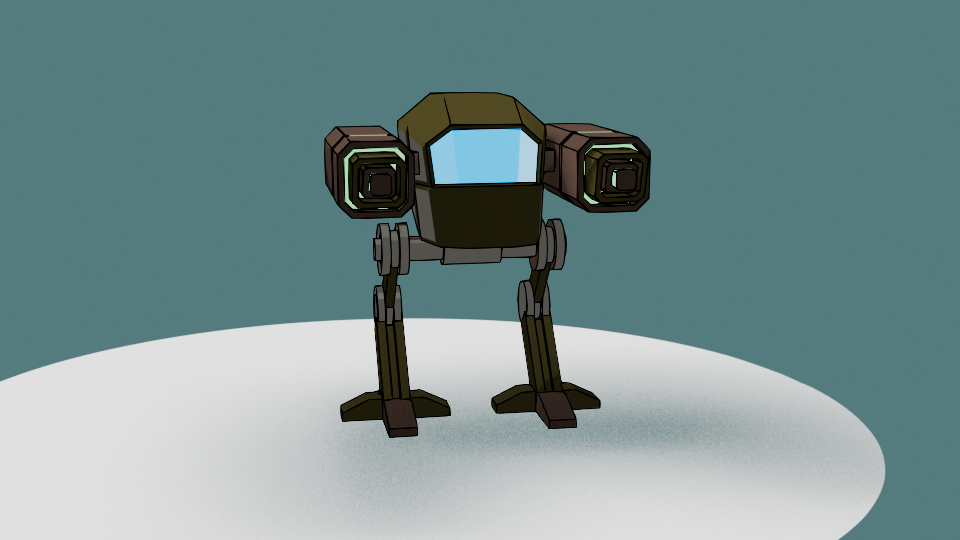
    Another variation of the two legged mech I made a few months ago. This cartoon version has ‘scene line art’ added, automatically adding lines to the model.

    Well, most of the time it works well. But this time it didn’t, adding lines where I didn’t want them and missing out other lines. So I had to draw the lines myself. I’m part way through an 2D animation course so I had learned about adding lines and editing them already. I applied this new knowledge to the sheep, using a drawing tablet I bought a few months ago. This meant I actually learned how to use it.
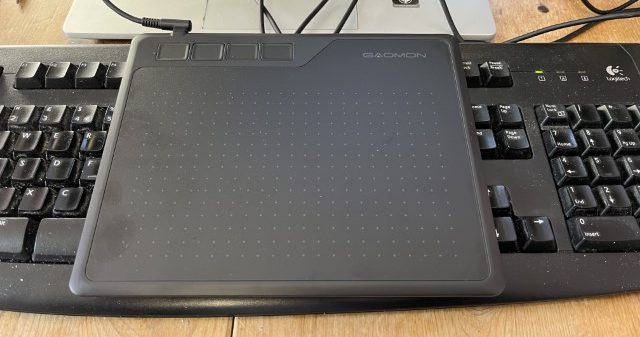
    My graphics tablet. This one cost £24, the ones professionals use can be in the hundreds of pounds, even over a grand. I’ve also just noticed that there are thumbprints on the left side where I hold it.

    Once I’d drawn the lines I was able to adjust them. Because I’m not much of an artist and I’m not used to the graphics tablet, the lines weren’t perfect. However, because they are digital, the lines are editable, so I could move and stretch them until I was happy with the look. This is similar to the way I sculpted the virtual clay to make Bob the demon and Steve the orc. I didn’t want it to be too perfect, just believably hand-drawn.

    Somehow, I managed to get the sheep looking really grumpy as well. A fortunate accident with the line I drew for the eye ridge.

    Final design

    I exported the final sheep into Canva to add the background and lettering. The font is IM Fell English, based on an 18th century script and so perfect for an olde worlde feel.
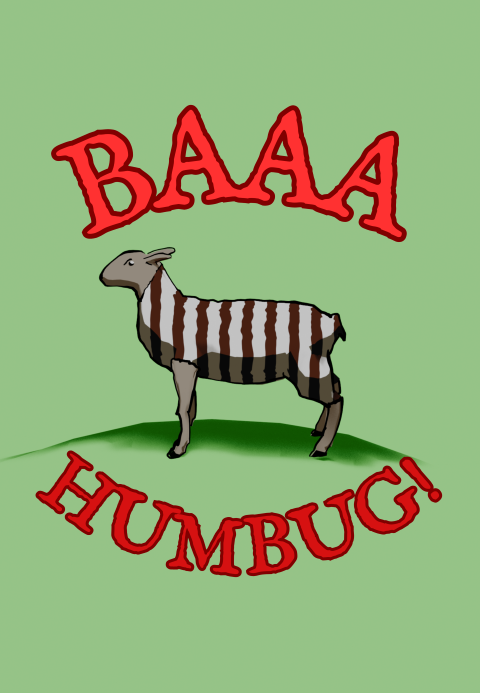
    One version of the “baa humbug” design.

    Because I’m using RedBubble rather than Etsy, I can offer the design on a variety of things. In RedBubble I can also specify the background colour to be used in the designs; I can do that in Canva, too, but the shape of the different products means that sometimes there can be white space at the sides or the design looks too small on the product.
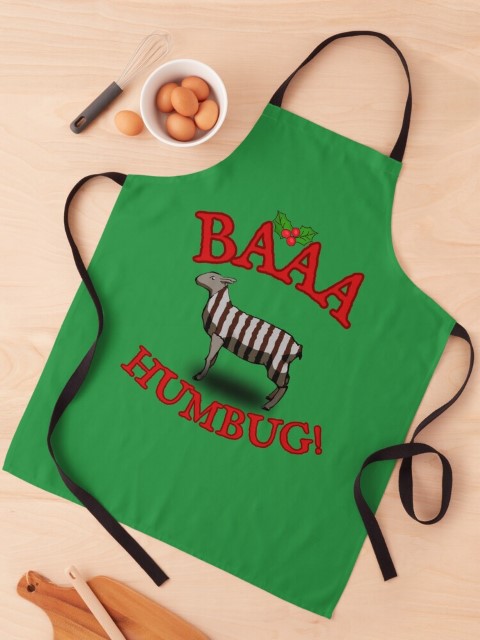
    Baaa humbug design on an apron.

    At the suggestion of Mrs S, I added a sprig of holly to the design that goes on the apron. Not sure why, but it works for the apron but not for the other items such as t shirt and cards.

    1. Humbugs are striped, mint-flavoured sweets. ↩︎
  • Game over!

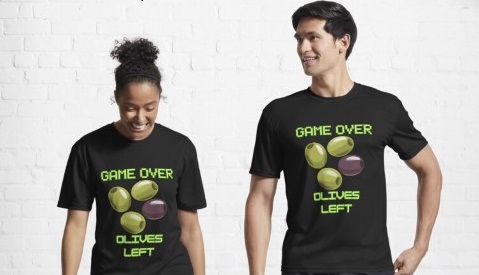
    Game over!

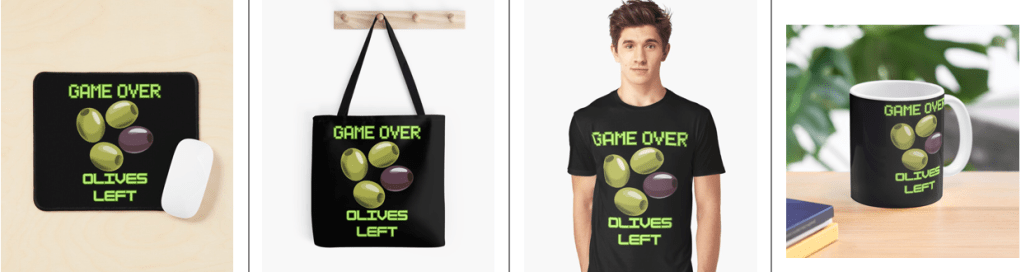
    Heath Way Prints design.

    This was a cryptic crossword clue I thought of some time ago, and realised recently it would make a good t shirt/ mug/ mouse pad etc.

    Canva design

    I think it took me about 20 minutes to do this, all in Canva. Deciding on the fonts to use was the tricky part. What I really wanted for the ‘Game Over’ part was the sort of font used in Rollerball1 and throughout the 1970s to indicate that a computer was involved. There is a font called Rollerball, though Westminster is also available for Word, but I couldn’t work out how to get that in to Canva. So I used Retropix for the Game over, and HK Modular for the Olives left. A nice neon green, reminiscent of the old green screens I spent my early computer years staring at completed the text design.

    Example text for the Westminster font.

    The olives were taken from a Canva catalogue of designs. There were plenty of olive designs to choose from, the three green and one black in a cartoon style was the best, and similar to what I might have designed myself.

    Once I was happy with the design I downloaded it from Canva then uploaded it to RedBubble. Making sure the design looked right on all the products and writing the description and keywords still takes me some time, but I hope I’m getting better at this.

    I finished a social media marketing course in November, this taught me several things I had hoped to learn. How to build a website, the importance of keywords and how to do search engine optimisation. I’m still a beginner, but I now understand why you need to spend time doing the SEO, though the rules change all the time.

    Cryptic crosswords

    The clue I had knocking around was:

    Game over for oil producers? (6)

    The answer is ‘OLIVES’, because when you have no lives left you finish a game, and olives produce oil. The O and the zero look similar, and that’s how cryptic crossword clues work. I sometimes struggle with cryptics, I attempt the Private Eye one and sometimes I can finish it, other times I can’t get more than two clues.

    Another clue I made up a while ago:

    Advances in fantastic trousers (5,7)

    Comment if you know the answer.

    1. A 1975 film starring James Caan, featuring the titular ultra-violent sport and a lot of moody electronic music, set in the far-off dystopian future of 2018. ↩︎
  • What’s yellow and dangerous?

    What’s yellow and dangerous?

    Shark-infested custard!

    It’s an old joke, but also a bad joke. It’s old enough to be the subject of a new design to go on the RedBubble shop.

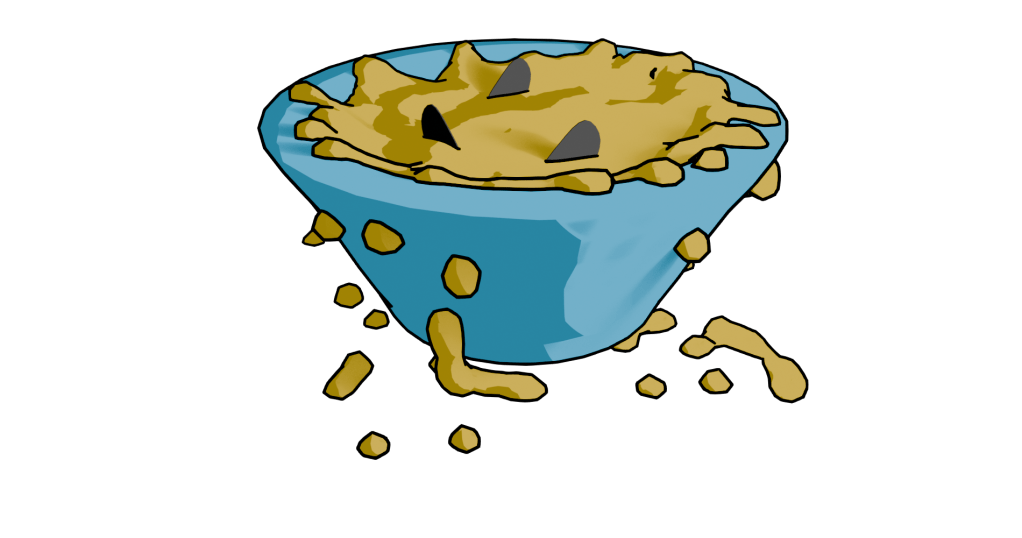
    Finished design. Lumpy yellow custard in a blue bowl with three shark fins poking out.

    Blender fluids

    To make a bowl of custard with sharks in it, I used Blender. There was no other choice, apart from drawing it from scratch. This meant three things. One, model a bowl. Two, add fluid – viscous custard. Three, add shark fins.

    Simulating a viscous fluid in a bowl is theoretically easy. Making a bowl was quick enough to do with the experience I’ve built up over the last few months. I took a cylinder, fiddled with that and made a fairly crude bowl. I did a version that was more conventionally bowl-shaped, but Mrs S preferred the straight sided version.

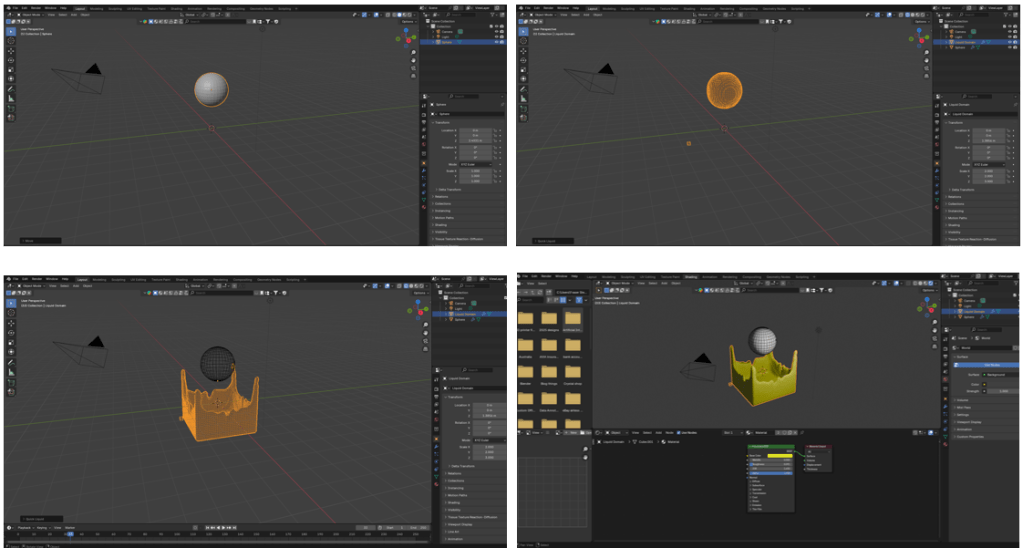
    When using fluids you have to define the space where fluids can be simulated, a source for the fluid, and what objects interact with the fluid.

    The simplest thing in fluids is to have a sphere that lets liquid out constantly into a volume. It’s not very exciting, but it’s a start.

    Fluid simulation in Blender. Make a sphere, add fluid domain (the volume where the fluid will be simulated – not visible here), then press start on the animation and you get liquid flowing. Change colour as required.

    Then you can add a vessel or other object that the fluid can interact with and overflow. You also have the option- which I used for this – of making a given volume of liquid and only generating that. I used this to make a sphere of custard that flopped into the bowl. I could adjust the volume of the sphere so that the bowl filled, but didn’t overfill.

    Shading was next. Yellow is the obvious colour for custard and a blue bowl contrasts well with that. I think a cartoon style works well for this type of product design. It reduces the number of colours in the design and also allows a for a bold appearance. To get the fins, I just added some planes and adjusted to make into fin shapes.

    After that, I ran the animation to the point where I liked the look of the piece and rendered just that frame. I rendered this with a transparent background so that the design would look good on products and also allowed me to export to Canva to add text.

    Sharks in custard
    Not the design that I went with, but close enough. There is too much custard (or not enough bowl) in this one.

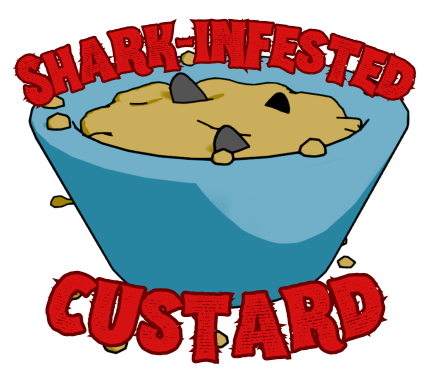
    I’ve mainly used Canva for the promotional videos I make for Facebook and for some t-shirt designs. Here I added text in Hellprint font with a brown outline and was able to curve the text to a circle. This was easier than the method I used for the chilli and caffeine designs, but there is less control.

    Finished design. Lumpy yellow custard in a blue bowl with three shark fins poking out.

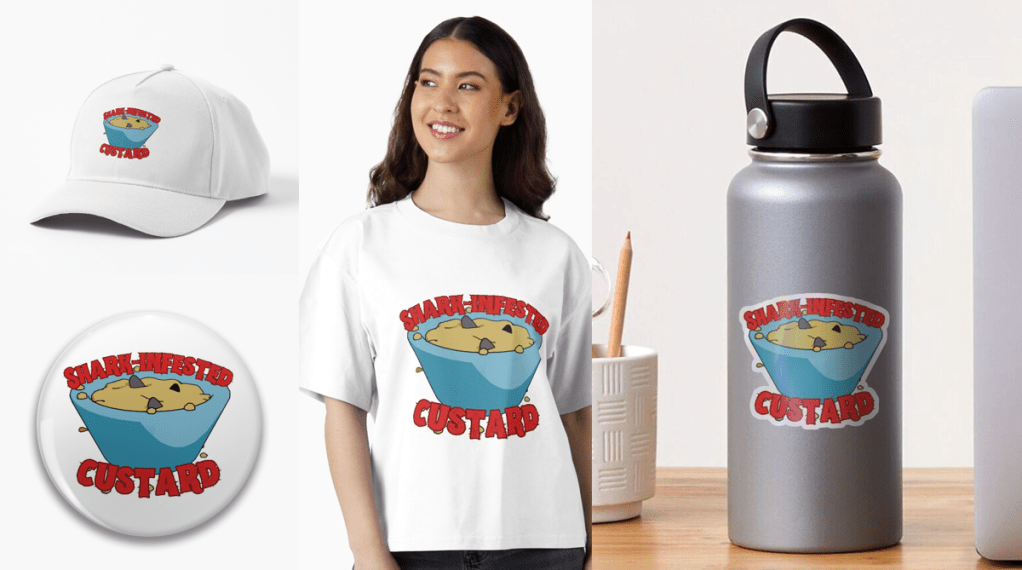
    Because I’m using RedBubble rather than Etsy, I can offer the design on a variety of things. I think this one works best as a sticker or fridge magnet, but it doesn’t cost me any extra to make it available on t-shirts and other clothes.

    Let me know if you have any favourite old and bad jokes that you would like to see immortalised in cartoon form.

    A selection of the products available with the ‘Shark infested custard’ design. I think the sticker works best, though I like the badge too.