Tag: illustration

  • Blender part 12 – Steve’s back again!

    Blender part 12 – Steve’s back again!

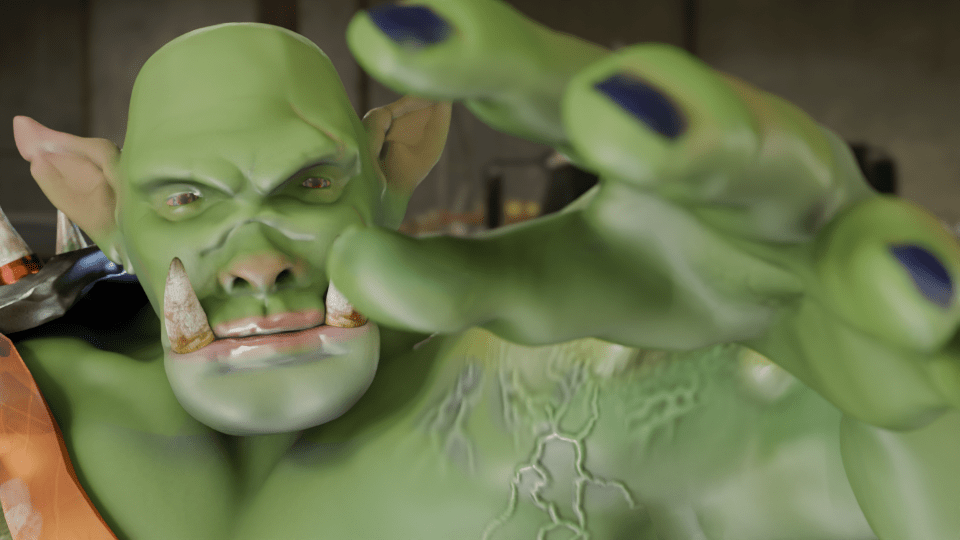
    So I fixed his fingers somewhat – still not perfect, I can’t get a good fist, but the fingers no longer twist in an awkward way.
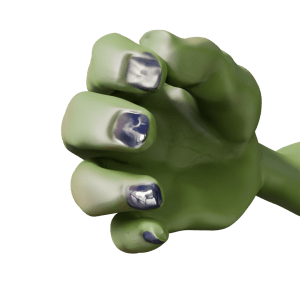
    Orc's hand, gripping with straight fingers.
    After a bit of fiddling around, I got Steve’s hand to look a lot better. The fingers are straight, at least.

    Stand-up comedian

    As mentioned in a previous post, I’m a fan of comedy. Also, I’m a fan of Stewart Lee1. To my mind, he elevates stand-up to an art form2 and is also hilarious. To Mrs S he just drones on about stuff3. Anyway, I have a picture of the man in full flow.

    Stewart Lee in action.

    This photo was the inspiration for Steve’s new job as a stand-up comedian. But to make it more obvious that Steve is in a comedy club, rather than giving a lecture (on the use of Lammas bread in recipes for hobbit), I thought it was necessary to add comedy club trappings. This means a curtain and lights such as Stew has and a neon sign so we know he’s in a comedy club. And a microphone, mike stand and a suitable pose.

    Aisling Bea wearing an orange hat under a neon sign reading 'Camden Comedy Club'.
    The sort of thing I was thinking of for the Mordor Improv stage. Sadly, Aisling Bea was not available for comment.

    The mike stand was the easiest part. A cylinder for the upright and another, cut in half lengthways, for the clip.

    The microphone was also fairly simple. I decided to just show the top of Steve’s hand, so I didn’t need to model the flex, mainly because the right arm looks a bit weird when it’s bent. So a cylinder, tapered a bit, a sphere as the inner part of the microphone and another sphere given a wireframe look as the input bit. And a flat cylinder as the metal ring around the bit you speak into4.

    Posing Steve wasn’t too hard since I’d done a bit of this already. Getting the hands to look reasonably realistic depended on getting the curl of the fingers right, which I had done already.

    Now I just needed to set the scene.

    Blender can add physics to an object, and the physics I needed for the curtain is the Cloth Modifier. Using this, an otherwise flat object can be made to act like cotton, silk, leather whatever you like. You can drop it, drape it or pin it in place to react to gravity and other forces.
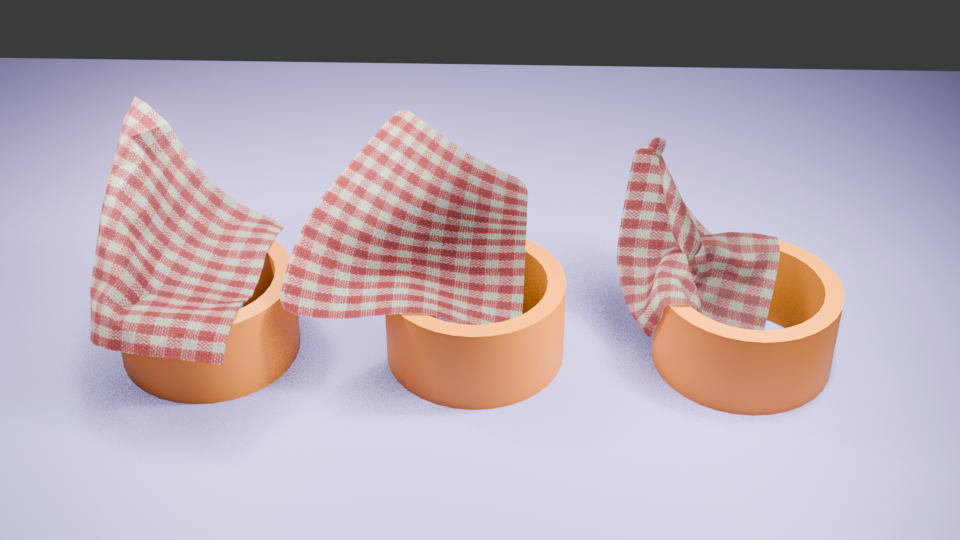
    Cloth can be pinned in place to drape. You can also change how many faces are in the cloth. From left to right, there are 400, 4000 and 50000 faces. More faces means more drapable cloth.

    For this, I followed a tutorial to make a curtain which would hang behind Steve. And I decided that the Mordor Improv is a slightly down-at-heel establishment, so the curtain is drooping a bit.

    More interesting is the neon sign behind Steve. I had to go through a couple of tutorials to get from ‘I have this idea’ to ‘I can do this now’. Two fonts are in this – Bauhaus (Mordor) and Freestyle Script (Improv). The Eye of Sauron was originally the O of Mordor, pulled around a bit and given a different colour to look more evil eye-like.
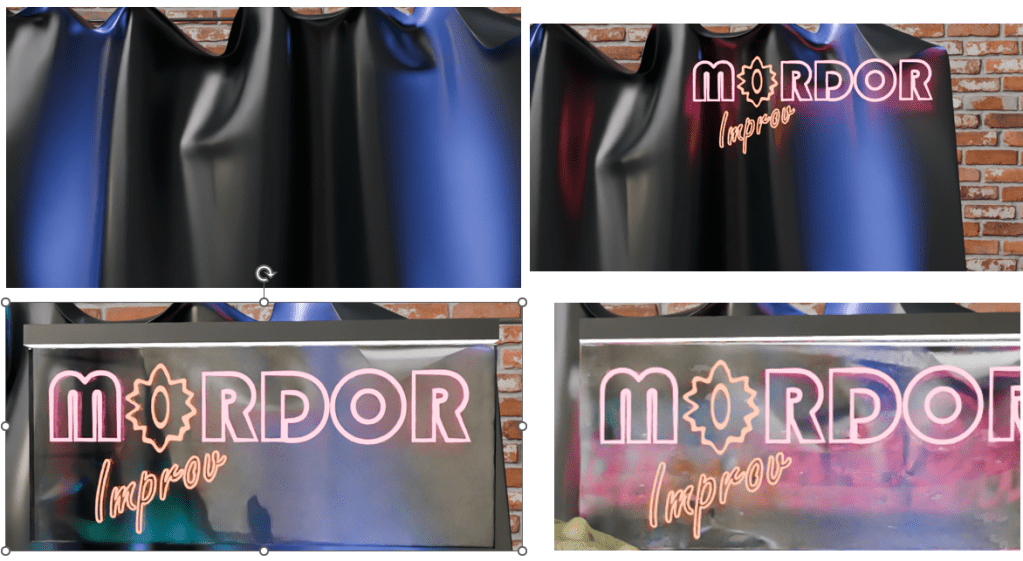
    Curtain, original neon work, added plastic backing and as the sign appears in the final render after some bashing around.

    So now Steve has a job. He’s struggling to keep Sauron’s minions entertained at the Mordor Improv.
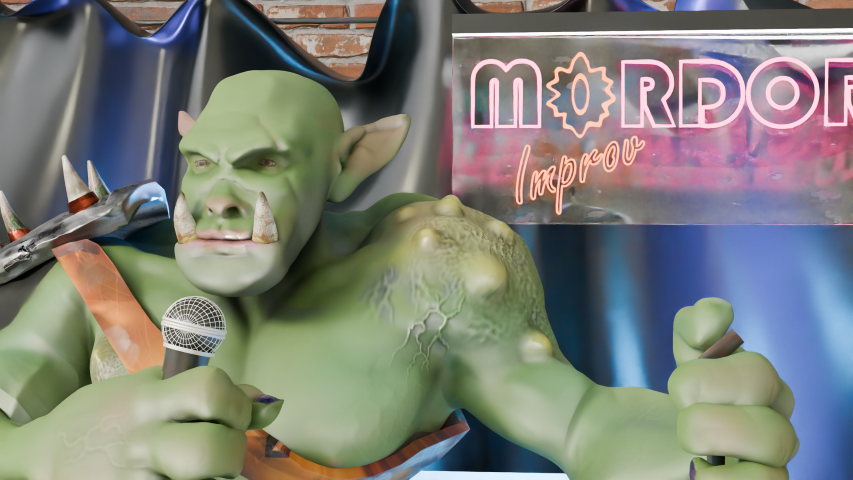
    Orc part way through a comedy routine. He's holding a mike, standing in front of a neon sign saying 'Mordor Improv'.
    “Two hobbits walk into a bar. Must have been a low bar.”

    If you have any Middle Earth jokes, let me know!
    1. Some would say the two are mutually exclusive. Mrs S, for one. ↩︎
    2. Strokey beard moment. ↩︎
    3. She’s right. But it’s the way he does it. ↩︎
    4. Sorry to get all technical with you, there. ↩︎
  • Blender part 11 – Banksy

    Blender part 11 – Banksy

    Now that I have Steve the orc, what can I do with him?

    Orc with Balloon

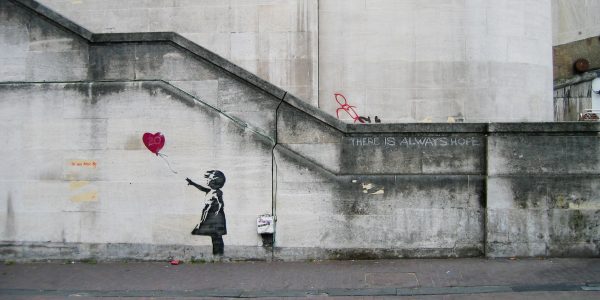
    One of the best-known British artists is Banksy. Best known, even if we don’t know who they are1. Most of the works attributed to Banksy are stencil-based, the work is in the preparation of the stencil, rather than the application of the paint which was done stealthily and quickly.

    Here, I’m redoing their ‘Girl with Balloon’, which first appeared on Waterloo Bridge in London in 2004.

    The original Girl with Balloon, on Waterloo Bridge, London. Photo by Dominic Robinson from Bristol, UK – Banksy Girl and Heart Balloon, CC BY-SA 2.0, https://commons.wikimedia.org/w/index.php?curid=73570221

    Blender allows you to add a reference image to the work so that you can use guides to pose or build the model you’re making. This was used in a couple of the earlier lessons, building the spitfire and also the original modelling of Steve was done using an outline provided as part of the lesson plan.

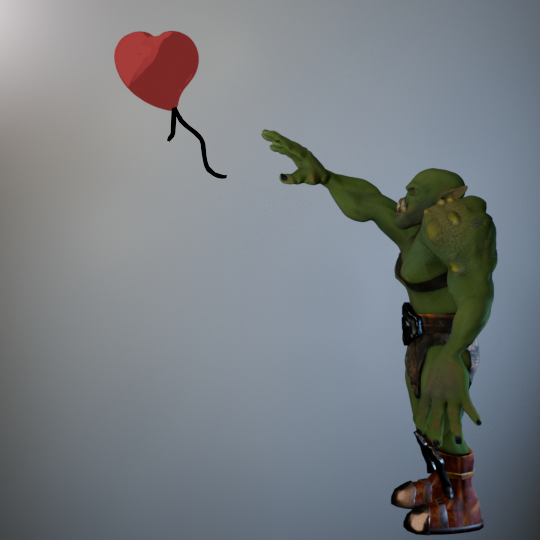
    Adding a version of Girl with Balloon, I used this to get the pose of the orc similar to the original. Not exact – Steve has longer arms and I wanted the balloon to be a bit closer.

    Original image of Steve with the balloon. The wall behind has been lit to look a bit like a wall – Banksy’s work appeared on several walls around the world, one of them must have looked like this.

    Modelling the heart-shaped balloon was done by using a Webding heart as the base. Text in Blender is treated as an editable object with access to all the fonts you have on your computer. For the caffeine molecule mug design, I had used Berlin and Bauhaus fonts and added a bit of a curve to the text. Here, I coloured the heart and added a curve to the top surface so it would look a bit more balloon-like.

    For the trailing ribbons I used Grease Pencil to draw black lines. I’d used grease pencil before in the caffeine molecule, adding lines automatically. This time they were hand drawn.

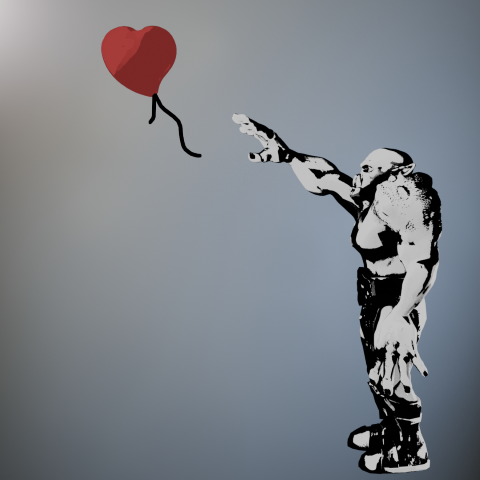
    The cartoon effect I used on the caffeine molecule was repurposed to give a stencil look to the posed orc. Instead of using one colour for the light parts and another for dark, I just used black and white. Shading in black and white wasn’t difficult, but getting the lighting right so that the finished figure would look like a stencil and be recognisable as an orc took a bit of fiddling around.

    Stencil image of an orc letting go of a red heart-shaped balloon. Similar to Banksy's Girl with Balloon.
    Orc with Balloon. Final image of Steve with his balloon.

    And finally, a short video of the transition from live orc to stencil.

    The transition of Steve from rendered to stencilled in four seconds.

    Next up, Steve has a go at stand-up comedy.

    1. According to Wikipedia, his name is Robin Gunningham, he’s from Yate near Bristol. ↩︎

  • Blender part 10 – Textures

    Blender part 10 – Textures

    Now that the GameDev course is complete – I even got a certificate! – I can have a look at other tutorials and find out more about what can be done with Blender.

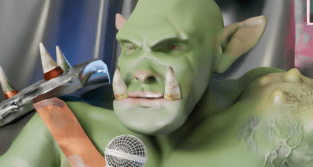
    Green orc, staring at the camera, face partially obscured by a grabbing hand.
    Don’t forget about Steve. He will be back! I just need to fix his fingers.

    Textures featured in the previous course, not only in getting Steve’s skin and clothes looking good, but also in the mech when I added glitter. More interesting textures can be downloaded for use from several websites and the uses for these are only limited by your imagination.

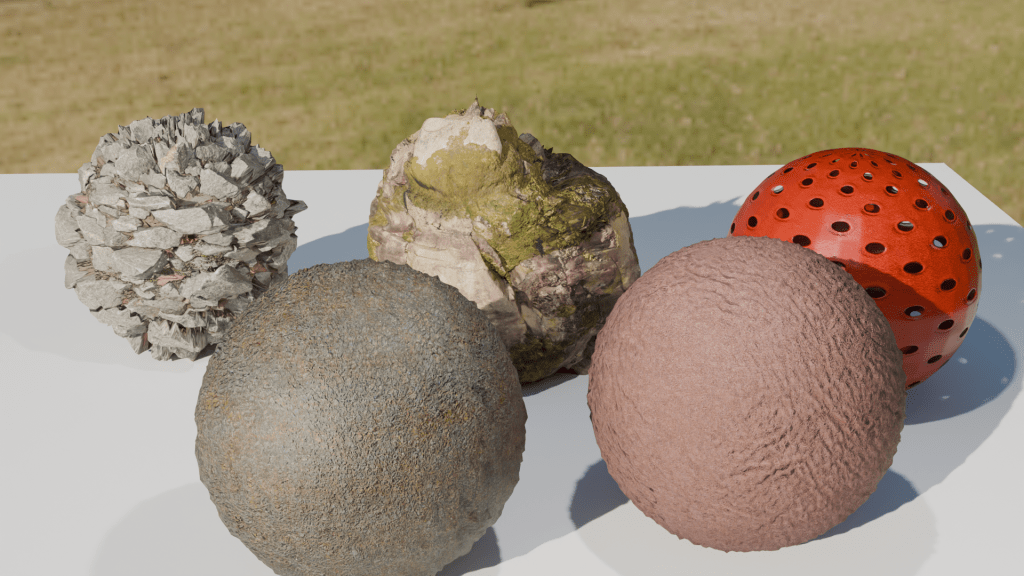
    To keep this blog post short and to show some of the things you can do with textures, below are a few spheres with added textures. Despite their appearance in the rendered image, they are just spheres and can be edited and shifted around as such. Using these textures instead of trying to sculpt your own lava flow or mossy stone reduces the load on the computer and is a lot quicker. The downside is that you are restricted by what is available.

    Five textured spheres. Two types of rock and a hollow plastic ball (back) and snakeskin and leather (front).

    You can make your own textures, but that’s way too advanced for me. What’s interesting is that the shadows agree with the textures. The jagged rock (middle back) casts a jagged shadow. And also the hollow plastic red ball is see-through, the holes act as they would in real life.

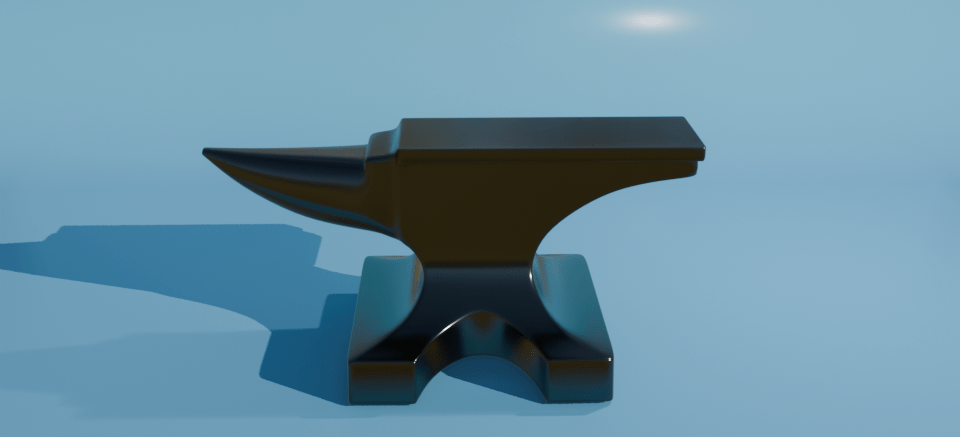
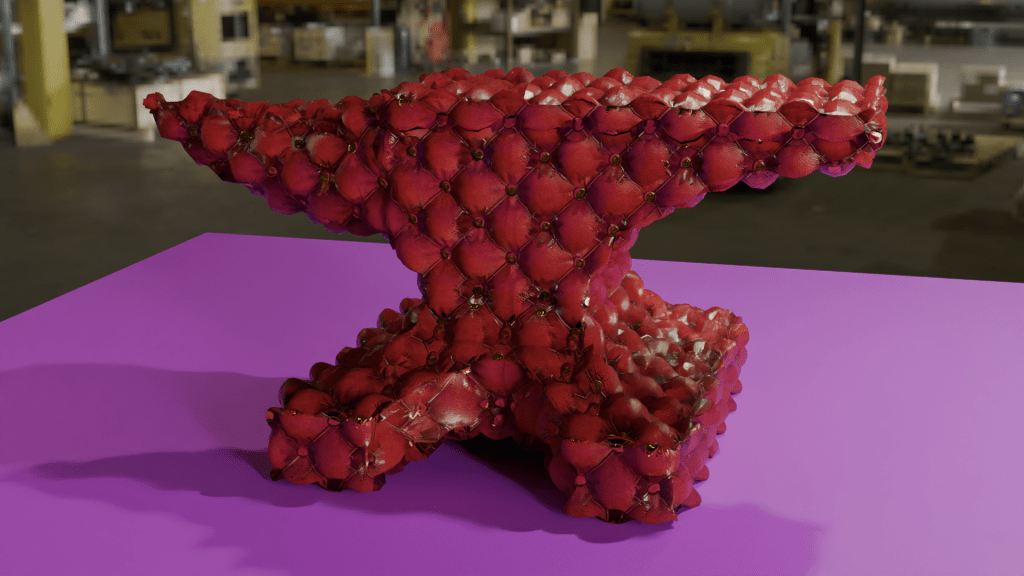
    For further mucking around, I downloaded an anvil model and decided that it would be nice if the blacksmiths didn’t have to put up with all the noise of hammering metal all day. So I made an anvil with a soft furnishing texture – a Chesterfield anvil.

    Anvil with a Chesterfield texture. I don’t know why nobody thought of this before. Think how quiet forges would be with soft anvils to work on.

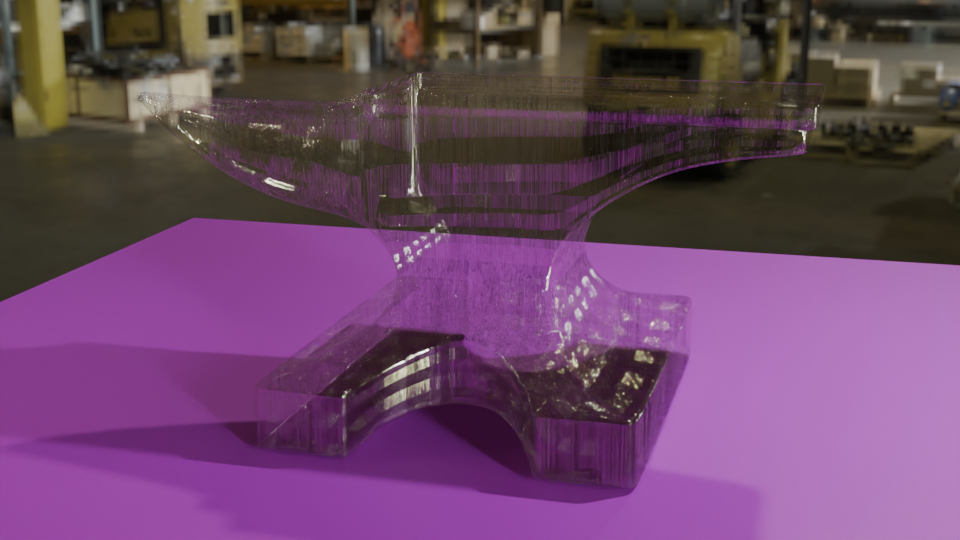
    You could also have a glass anvil, for those extra-delicate jobs. Or as the focus for a strokey-beard discussion about the juxtaposition of use and material as a Dadaist/surrealist concept1 , or as a satire on the impermanence of the permanent and the transparency of the solid.

    Glass anvil on a purple table with a workshop in the background.
    Anvil with a textured glass appearance. Add your own philosophical musings in the comments.

    Or an inflatable anvil, for the blacksmith on the move.

    Just because it looks like metal, doesn’t mean it has to behave like metal.

    I think I’ll step away from the artistic discussions, it’s well above my pay grade and makes my head hurt. I’m only a simple scientist!

    Next, more work with Steve, trying to get him to earn a living.

    1. See also Man Ray’s “Cadeau”, an iron with 14 nails glued to the base. ↩︎
  • Blender part 9 – GameDev III

    Blender part 9 – GameDev III

    Orc painting!

    Last time, I had made a nice looking orc1.

    The next stage was quite complex and not very visual for blogging purposes, except that the end result was obviously an image. It involved baking textures and it’s why we spent time on getting the musculature and the facial features right. It’s all to do with poly count.

    The number of faces (polygons) in a model is an important factor in 3D modelling. The more faces you have, the better your model will look. The drawback is that these polygons take some time for the computer to calculate. This slows down your work and can result in the computer crashing.

    By way of illustrating this, the face count for the model shown at the end of the last section and below was 14.5 million and a file size of 160 MB. By baking the textures onto a lower poly duplicate of the original, this comes down to 47,000 faces and a 64 MB file.

    Two orcs, one white the other painted.
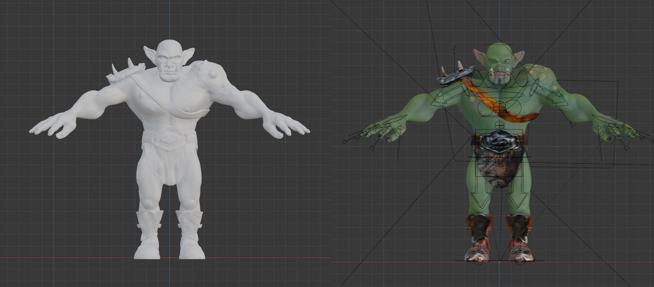
    The unpainted orc on the left as 16 million polygons, the painted one on the right has 47,000 and more detail. The down side is that I can’t easily change anything about this model.

    Baking is the process where details from a highly detailed model, such as shadows from clothes and weird veins and scars, get painted onto a lower poly mesh. The details aren’t there, but look like they are.

    Baking textures allows you to use a low poly mesh that looks like a high poly mesh. The disadvantage is that you can’t change you mind about, for example, the position of the clothes once the bake is done. You can always repeat the bake, which takes a bit of time and isn’t very exciting.

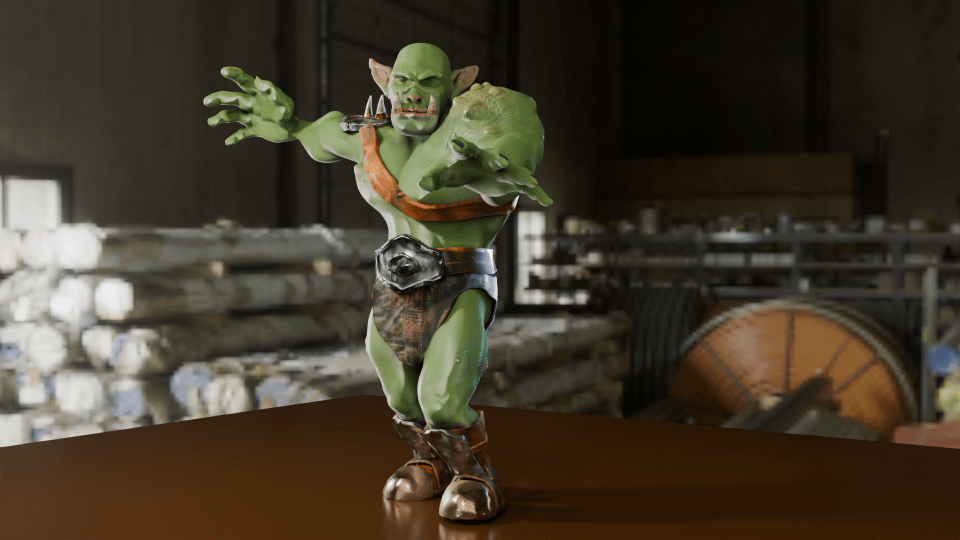
    painted orc figure posed in a grabbing manner against an industrial backdrop.
    Now that the rigging is in place, I can move the orc to give it an action pose. Might need to move the loincloth, it looks like it’s digging into the thigh.

    In the end, I’m happy with how Steve turned out. There are a few mistakes with the painting, but if you can see them keep it to yourself. I should go back and re-do where I went wrong as an exercise.

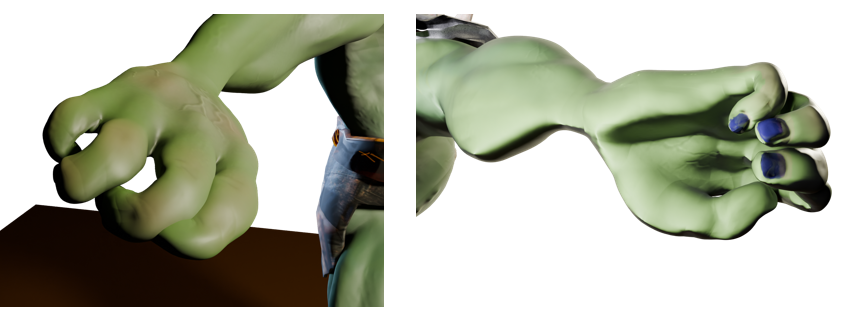
    So I had an orc with bones that I could manipulate and pose in a threatening manner. But the hands were wrong – the fingers looked awful when I tried to make them grab anything. That was the next thing, because I wanted to make Steve grab things and make a fist. That was for another time, though.

    Two views of the orc’s right hand. The rigging allows you to move body parts and the controls for curling the fingers are simple enough. However, I did something wrong when I set the fingers up because the fingers don’t move properly.

    So that was the course finished. Next up, I’ll have a look at getting realistic textures onto objects and then I’ll try and get those hands looking right so I can pose and animate Steve. And don’t forget to look for science-related opportunities for Blender.

    1. You know what I mean. ↩︎