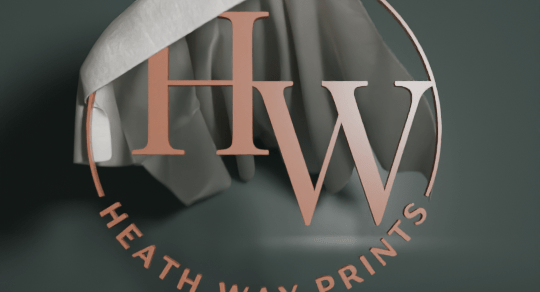
I’ve had the Heath Way Prints logo for about a year, and I’m happy with how it looks. In a recent advert I used a spinning version of the logo as the end scene for the carousel I made using CapCut.
How to expand on this? One thing I saw a few months ago was a cloth reveal. You start with cloth over an object then pull it away using ‘hooks’. In the display, the crosses are hooks, and pull at two parts of the cloth to reveal the monkey head.
This works well, it can be used for revealing cars and big bits of machinery as well as logos and monkey heads. But I wanted to have the HWP logo suspended in air and then have the cloth be whipped away. Using the ‘hooks’ method wouldn’t work. I couldn’t find a way to animate the influence the hooks have on the cloth, which would mean I could turn off the hooks, so I’d have to get the hooks in the right place on the draped cloth. This is possible but not elegant1.
Getting the cloth on top of the logo involved adding a plane to be the cloth, subdividing it and then giving it cloth physics. The logo had to have physics, too, otherwise the cloth would drop through the logo.
What I found was that the logo didn’t interact very well with the cloth. So I added a cylinder the same size as the logo and used that as the collision object. That worked. Then the cylinder is adjusted so that it doesn’t appear in the final render and I still have a logo that has three dimensions.
Another option I considered was adding a cylinder and ‘painting’ the logo on this. I could then alter the shading of the cylinder so that only the logo would appear. But this would be less satisfactory because I’d end up with a 2D logo rather than the 3D object that reacts to light and looks real. Having a 3D logo means I can animate it or move the lights and the surfaces react to changing light.
So we have a cloth draped on a thing. How to pull the cloth off without using hooks?
Gravity!
Unlike the real world, you can control gravity in Blender. It is a fun thing to do, you can make a pendulum simulation under various gravity fields to simulate Earth, the Moon, and Jupiter.
You can also change the direction of gravity. For this animation, I animated the gravity to change from -9.8 m/s² in the Z direction (down) to 20 m/s² in the Y direction (behind the logo) for two seconds so that the cloth fell from the logo. This is just like tipping the logo up, same way you might tip a table up to remove the tablecloth, if you were so inclined.
Colours were taken from a ‘boho’ colour palette. I gave the logo a brown colour from the collection, the background green and an off-white for the cloth. The cloth also has a metallic sheen to it, to add a bit of class.
Sounds were from Pixabay, sliding cloth effect fitted the bill nicely.
Next: I’ll put the logo on some dice of various shapes and see what can be done with that.
- I’ve since found a way of doing this, but I like the effect I used. ↩︎





 Grim up North Heath