Tag: technology

  • Pet B

    Pet B

    Write about your first computer.

    There are two ‘first computers’ for me. The first one I used was when I was at Thurso High School. This was the school’s 8K Commodore PET that was available to book for lunchtime use. I was at the school from ‘81 to ‘82 before we moved to England. I don’t know that I learned very much; some programming in BASIC but no guidance, played a text adventure game and perhaps gained an awareness that computers were a thing that would feature in my future.
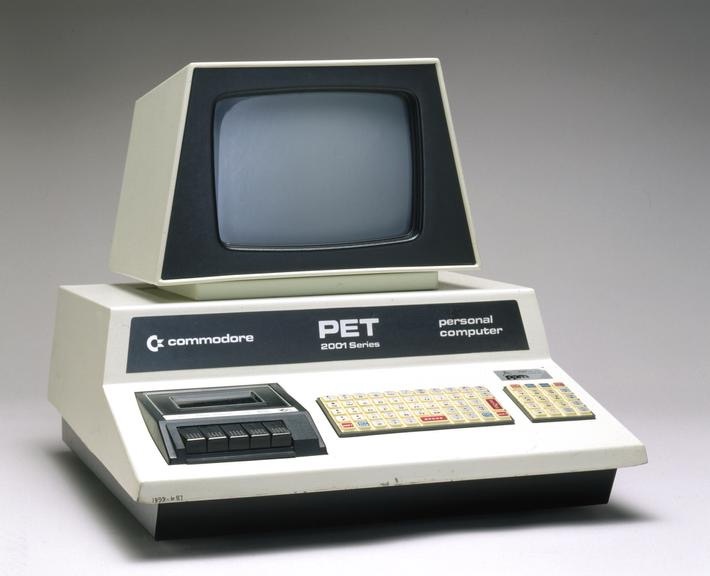
    Commodore PET from about 1980.

    The second was a BBC B that was a Christmas present to the family in 1983. Transferring data and uploading was a challenge using cassette tape recorder. It could take half an hour to load games, along with the clanking racket of data transfer and you’d come back from your tea to find the load had failed. Jealous of a neighbour (an engineer) who had a floppy disc drive and he could load a game in under a minute! He’d also expanded the BBC B’s 32K RAM to an unbelievable 128K.

    The power!
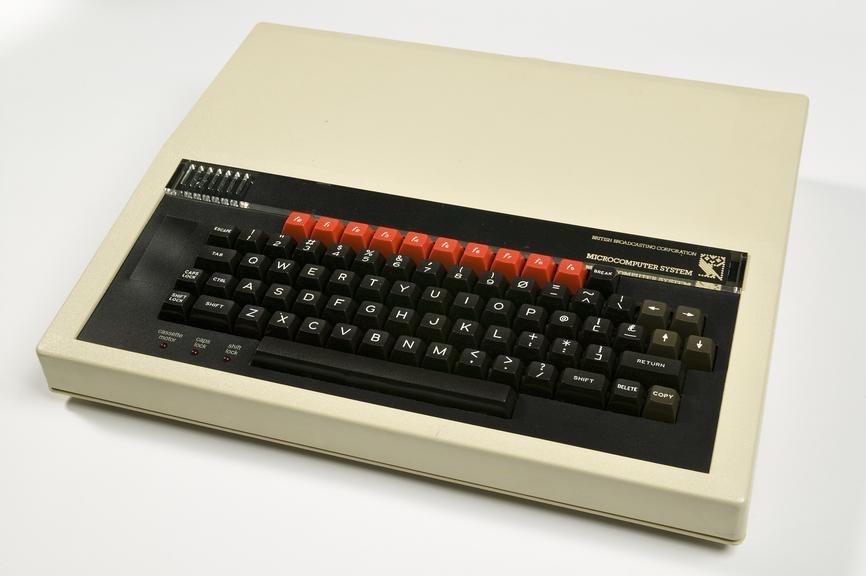
    Having a BBC C at home was handy, because this was the machine I used for ‘O’ level computer studies. In theory I could have transferred work between school and home, but data transfer wasn’t really viable and we only did a small amount of programming during the course.

    Inevitably games were played on the BBC at home, once we hooked it up to a spare telly. Elite was my favourite, a space adventure game with trading commodities and the occasional space battle. I also have fond memories of my dad playing ‘Estra’, a collect-the-pieces game that took ages to load. But while it loaded, it played ‘Entry of the Gladiators’1, which was fun.
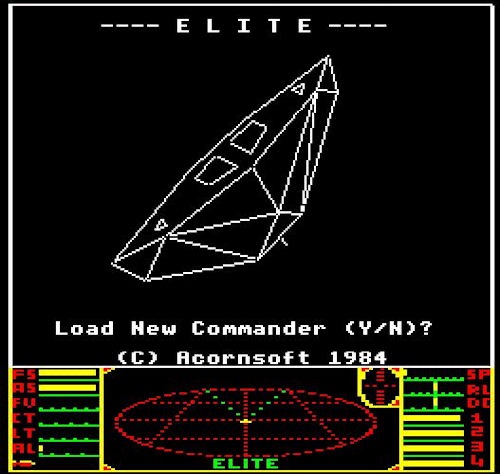
    You can play Estra here, and listen in awe to the theme music.

    After O levels, I didn’t use computers much for a number of years. I first heard about email in 1990, when I was at uni in Loughborough. One of my tutors told us that he could send a message from his computer2 to a friend at Portsmouth and get a reply later that day. Much faster than letters and less intrusive than a phone call.

    Mrs S and I didn’t own a computer at home until about 2000, after we had bought our first flat. The mainly so that I could work at home on my PhD. I had to run an extension line right across the flat to get dial-up internet and it was honestly easier and quicker (and possibly cheaper given the cost of phone calls back then) to take a bus up to the university (from central Bath) and get journal articles from the library than it was to try and download them at home. But I did write my thesis on it, so it served its primary objective.

    I can’t remember the specs, but I do know it was quite an expensive bit of kit for us at the time. Given its cost, we shipped it over to Australia in 2003 and back again in 2005. We still have it in the loft, gathering dust and awaiting possible resurrection so I can play Quake III Arena again.
    1. The circus music. ↩︎
    2. He had a computer in his office! ↩︎
  • Caffeine! mug

    Caffeine! mug

    A slight departure, this time I’ve designed a mug. I was thinking about what molecules would look good on a coffee mug and the obvious answer was ‘caffeine’.

    One of the things I had planned to use Blender for was to make scientific models and diagrams as well as protein and molecular models. How to do these things was another matter and how to make anything of them when the market for scientific diagrams is (a) small and (b) a closed shop were further matters.

    Having had the idea of caffeine-on-a-mug1 I hit the University of YouTube and found out how to get from a molecule to a 3D design, and then from a 3D design to a cartoonised version. This latter was a design choice – I thought it would look bold and also it would be a way of cutting down on the number of colours required for the design.

    I found a good tutorial by CG Figures who went through the two-step process to get from molecule name to a file that can be read by Blender.

    I was already familiar with one of the websites that was recommended – molview.org – and the software to convert the SMILES file into a protein database (.pdb) file was easy enough to use. The SMILES format is a standardised way of representing organic molecules and it was the format I used to input molecules of interest into a molecular modelling tool to predict the pharmacokinetics of drugs – SwissADME is the website, if you’re interested.

    Once I’d got the molecule model into Blender, there were a bunch of further steps to clean up the file into something that didn’t take up too much filespace and have extraneous faces that could give odd results when the image is finally rendered.

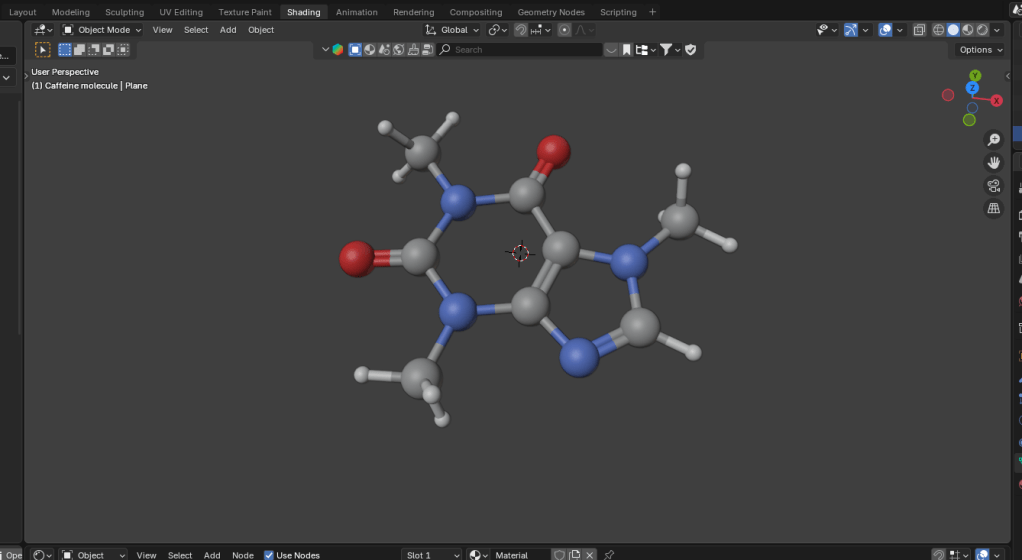
    Molecular ball and stick model of caffeine.
    The caffeine molecule after some tweaking of the initial file. The software adds colours by default, in this case grey is carbon, blue is nitrogen, red is oxygen and white is hydrogen.

    It didn’t take long to get to the point where I had a model that I could use as a basis for a design. Next, I wanted to turn it into a cartoon version. This means that the light and shade are demarcated by sharp lines with no fading.

    In Blender there is a function called a “color ramp” which takes a colour or a shade and changes it. Using this I could control which parts of the atoms were darker and which had highlights. By moving the light around I could change where the light spots landed and also change the size of the highlights. And because the software sees the molecular model as a three dimensional object, the highlights vary around the model, making the model look more three dimensional, even though the idea is to create a two dimensional image.

    Three cartoonised images of a monkey head.
    Three cartoon monkey heads. Turning the head changes the cartoon lighting and adding grease pencil adds definition to the image.

    In order to add a more cartoony look, a function called grease pencil can be used to add black lines to the scene. There are two ways to do this. Blender can add grease pencil automatically, which is what I’ve done here. You can also add it manually so that you can put details on the image.

    Anyway, back to the caffeine image. Not only did I add the cartoon effect and grease pencil, but the molecule needed a caption so we know what it is.

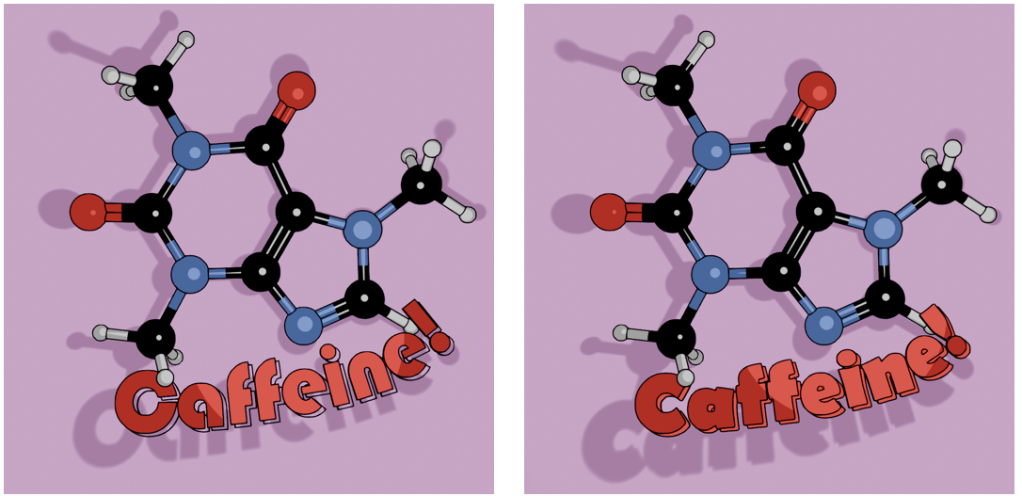
    Caffeine molecule against a pink-purple background. The molecule has the caption in two fonts, Bauhaus and Berlin.
    Alternative fonts for the caption. I like the Bauhaus font (left) as a design choice, but the capital C is a bit too closed to read easily. Berlin font (right) has a similar vibe and a more open C.

    Looking through font choices I tried Bauhaus – it’s bold and has a historic feel to it. After showing this to Mrs S, I changed to Berlin. She pointed out that the C in the Bauhaus font is a bit too closed, and the Berlin version looks better in this application.

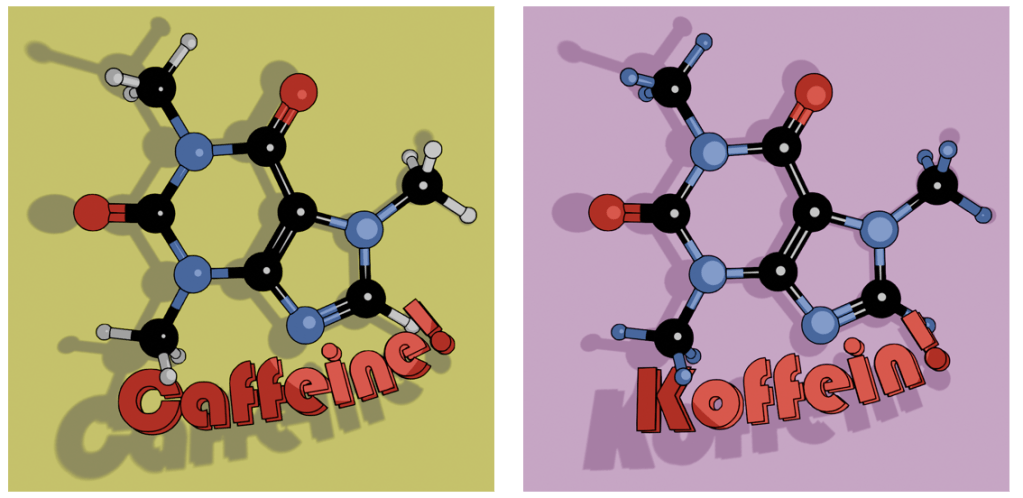
    As an alternative, there’s also the molecule on a mustard-coloured background and in German. I’ve yet to offer these alternatives in the shop, I don’t know how big the German market for nerdy science mugs is2. I will likely keep the Bauhaus font for this, since the K looks echt cool, oder? I’ll need to use either Berlin or another font for the French (caféine), Spanish and Portuguese (cafeína) and Italian (caffeina) versions.

    Two view of caffeine (Bauhaus font) and Koffein. Mustard yellow background or pinky purple? Which is better?

    I can try other background colours, but I’m not sure what works best. Any suggestions are welcome.

    The finished design could then be uploaded to Gelato so I could put that onto a mug and then get it published on Etsy.

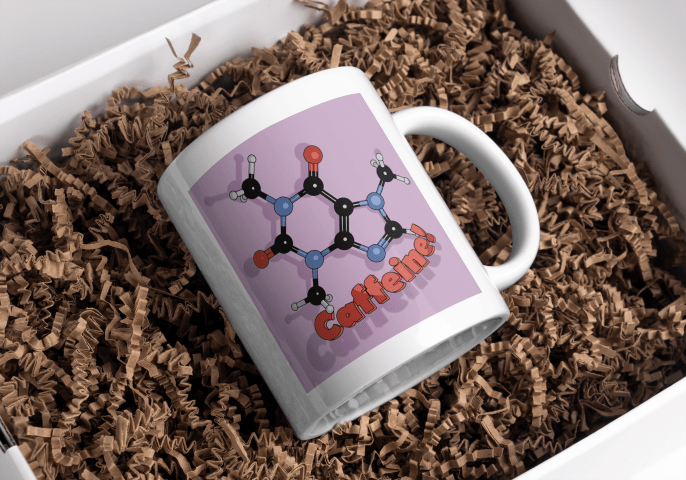
    White mug with a cartoon caffeine molecule on a pale purple background, and the word 'Caffeine!' underneath.
    Mock-up of the finished mug nestled in a bed of curly brown stuff.
    1. It’s not an original idea. There are plenty of other places that sell this sort of thing, but I wanted to use a different style. ↩︎
    2. Caffeine translates as ‘koffein’ Danish, Dutch, Finnish, Polish, Swedish and Norwegian as well. ↩︎